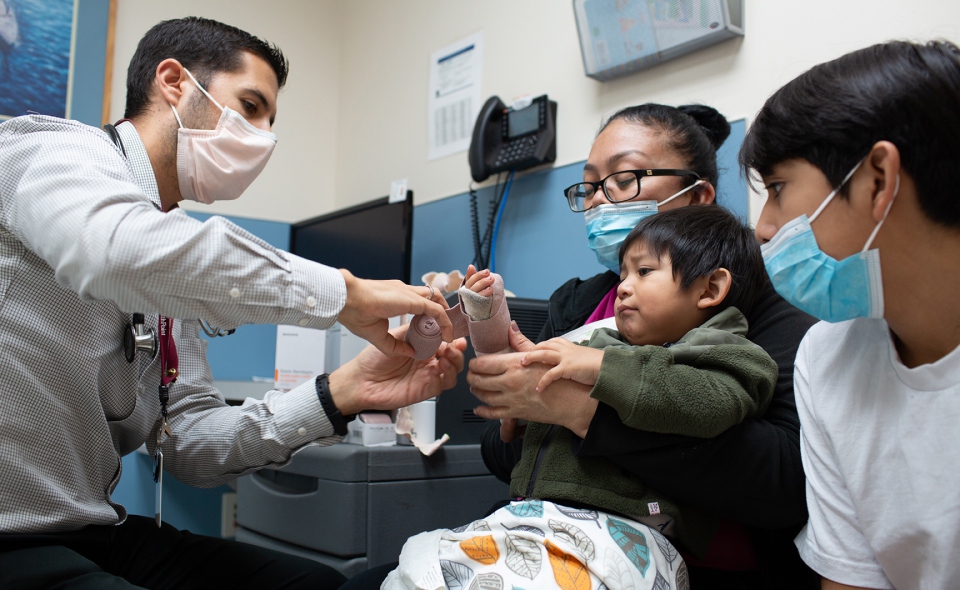
Homepage Evolution (production)
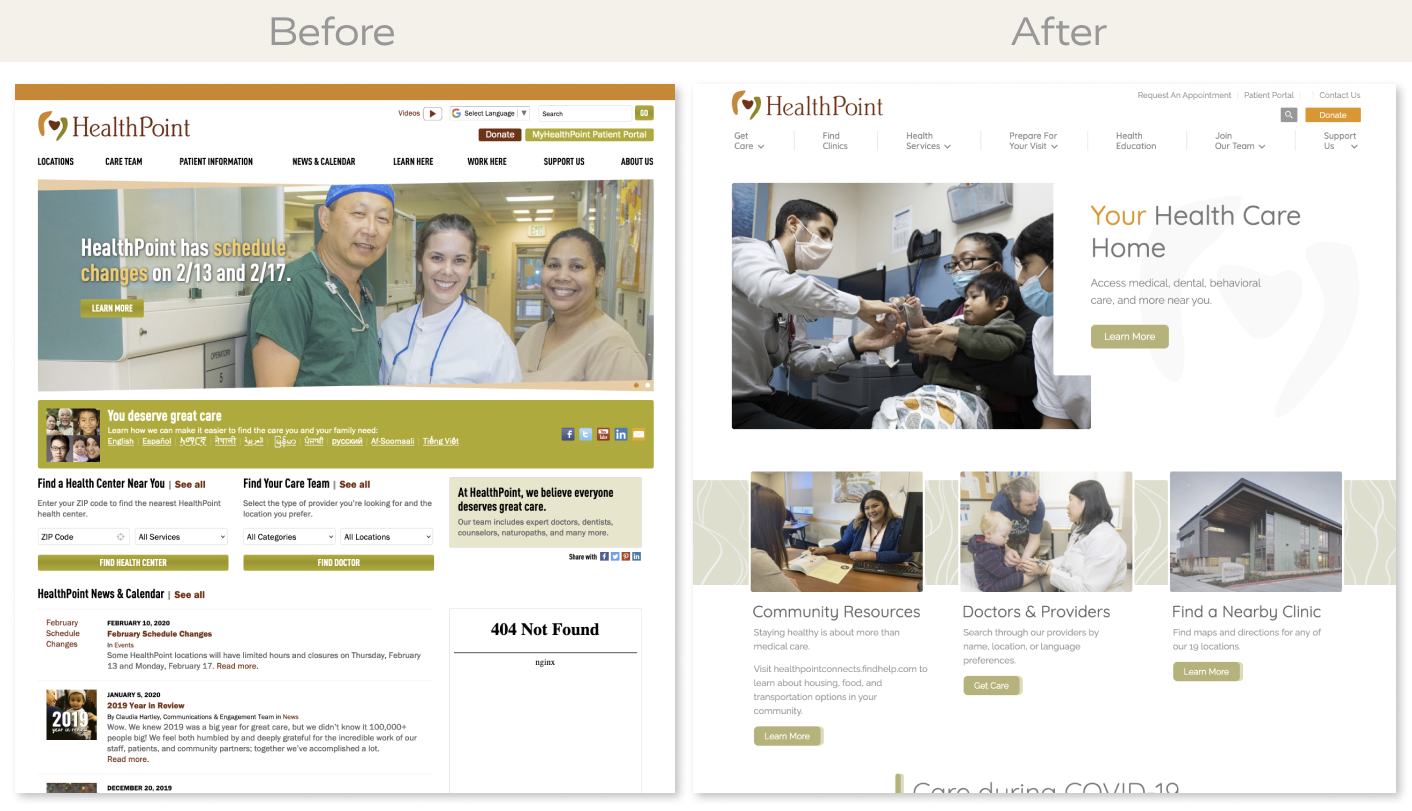
Before (left) and after (right) the website redesign.
My Roles
- Creative & Art Direction
- Discovery
- Concepting
- Facilitated Client Presentations
- IA / UX Design
- Requirement Gathering & Competitor Research
- Card Sorting & Sitemap
- Wireframing
- Visual Design
- Brand Identity Refresh (typography/color)
- Website Design
- Web Development
- Front-end Development (HTML/CSS/JS)
- Back-end Development (ExpressionEngine/PHP)
- System and Database Administration (LAMP/MYSQL)
- Account and Project Management
- Content Strategy
Key Contributions
- Information architecture planning for complex nested content.
- Multi-dimension filtering of providers to help user's find a specific health provider.
- 15 fully responsive unique page templates.
- Simple and effective desktop and mobile navigation menus.
- Intuitive custom content management system for easy content authoring and editing.
- Custom component-based page authoring tools in the CMS.
- Custom Google maps integration for all health.
- Provided in-person content strategy facilitation and custom spreadsheet documents to help their team refresh content.
Information Architecture
2 weeks before the kickoff meeting I sent a redesign questionnaire to 4 staff members of their internal marketing team. Each stakeholder filled and submitted the questionnaire in which I used the data to gather baseline requirements, generate ideas and help guide the first meeting.
I facilitated the kickoff meeting by explaining the website redesign process, reviewed examples sitemap and wireframes, project timelines, and finally reviewed everyone's answers. We had an open conversation about the new website and wrapped up the meeting with a 30 minutes card sorting exercise.
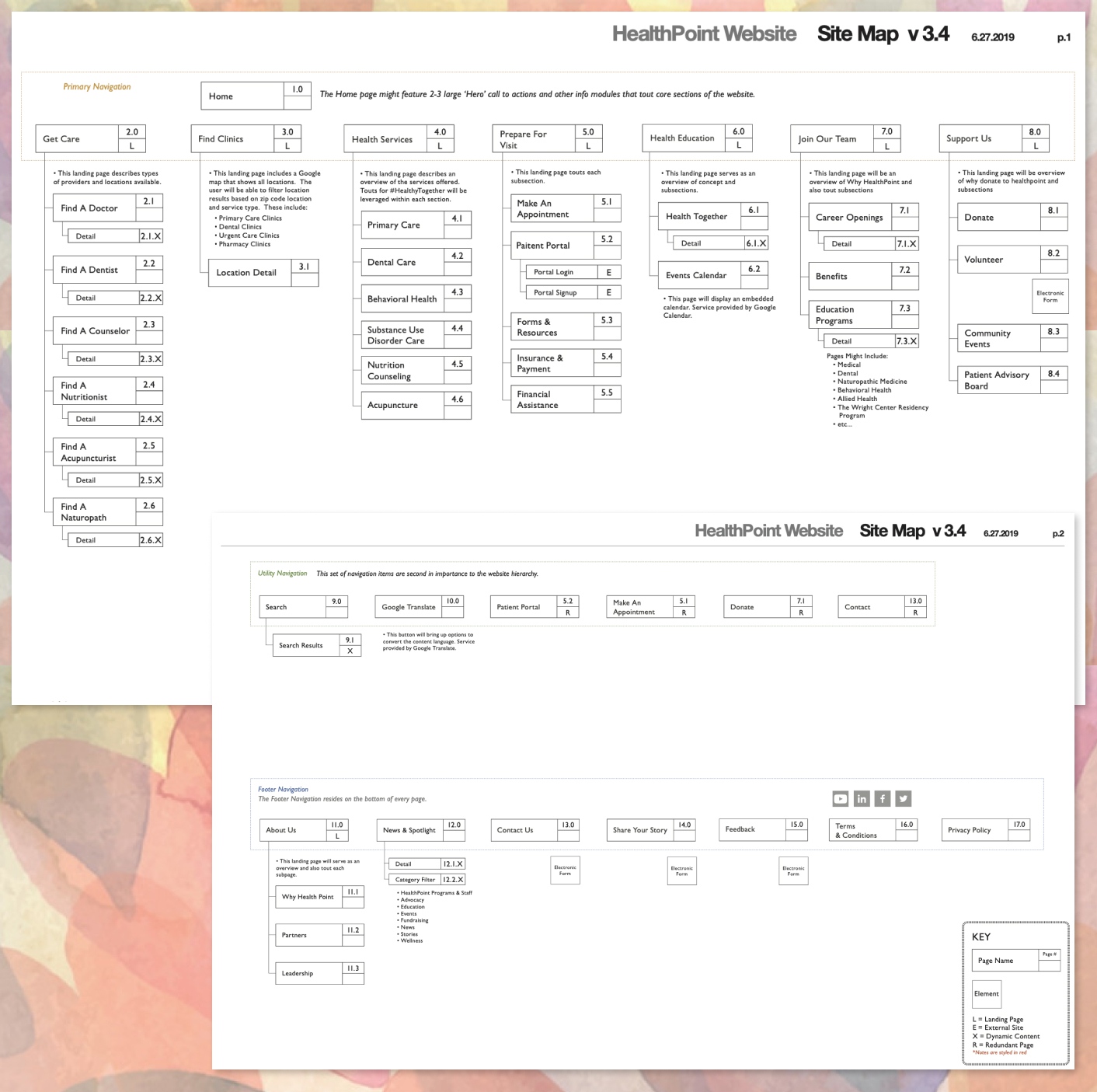
Together we collaborated on 3 rounds of the sitemap document before final approval.
Final Sitemap
User Experience Design
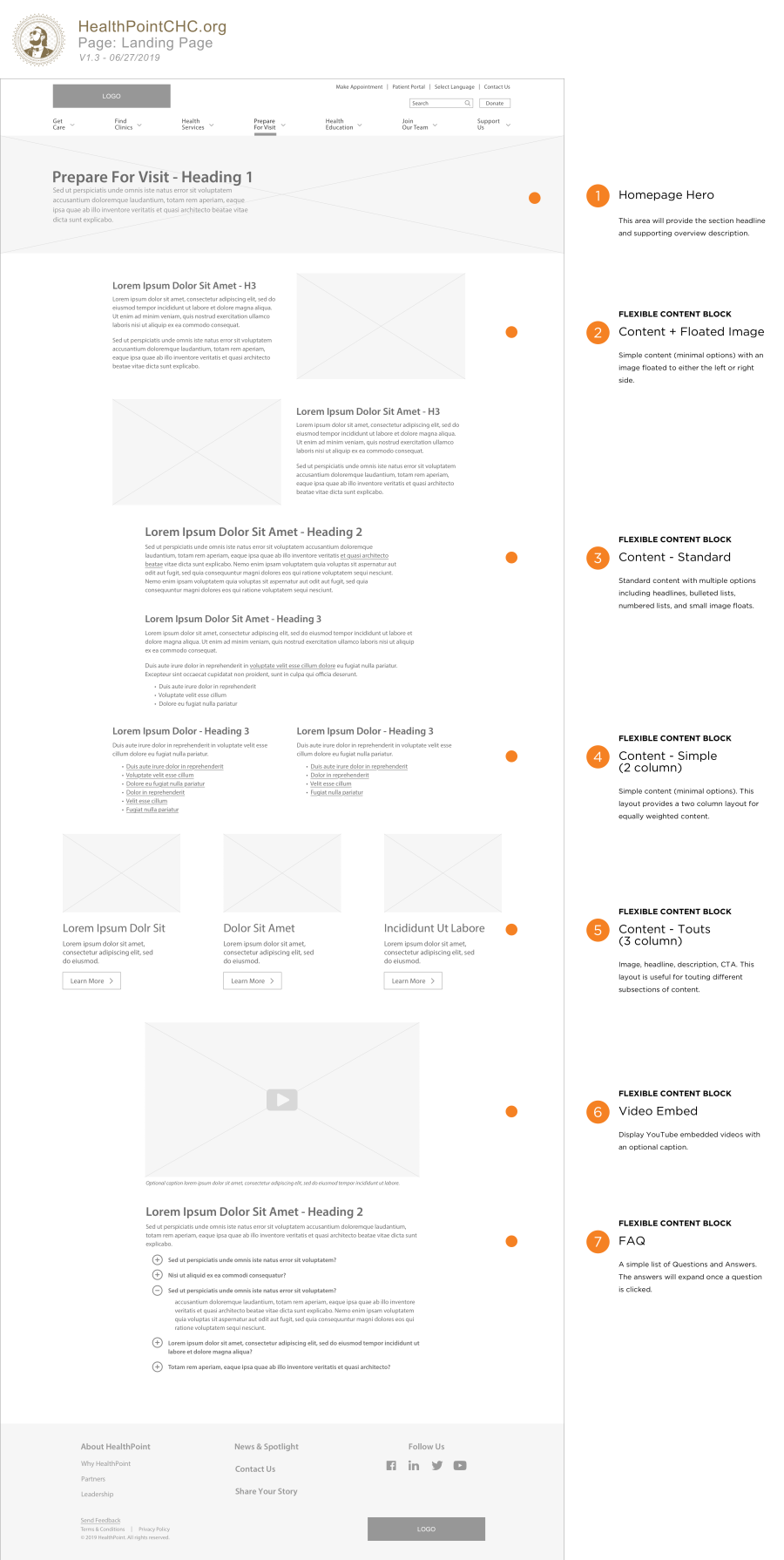
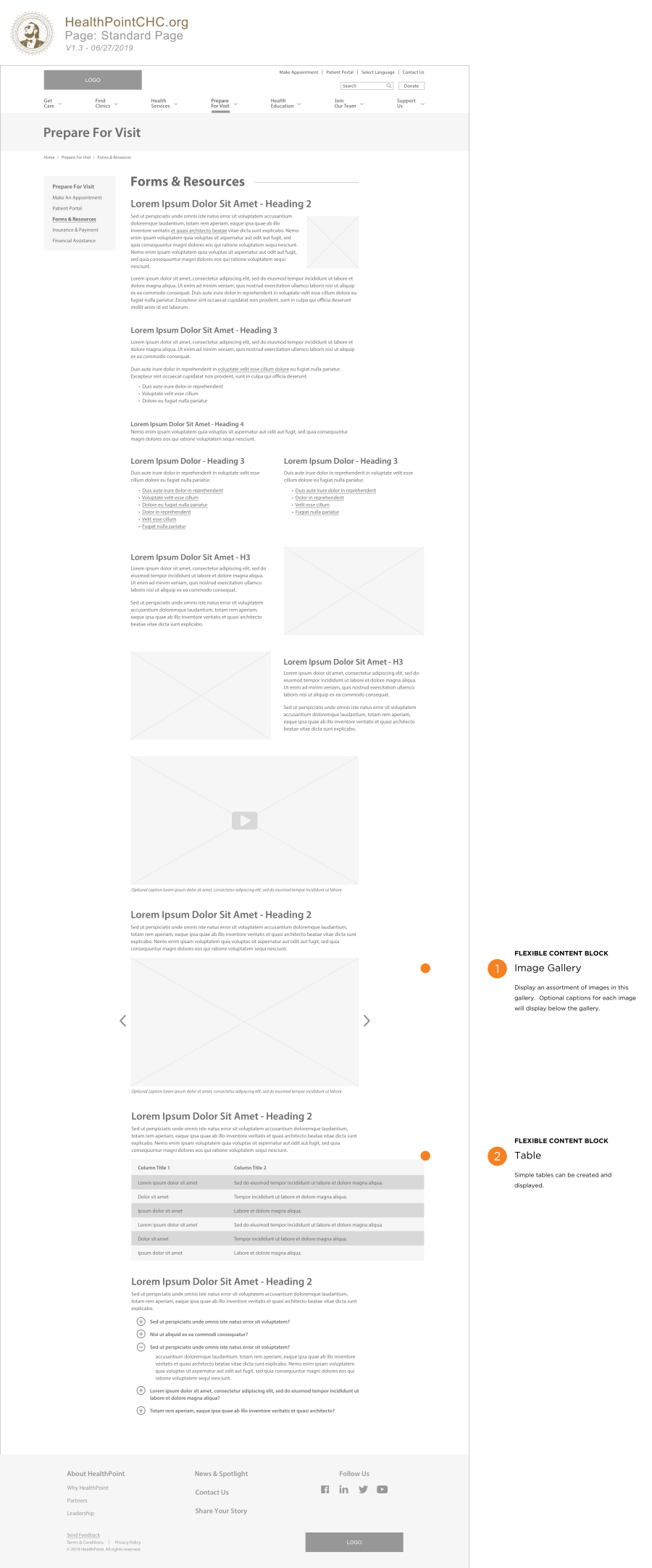
A complex part of this website was creating a mixture of well designed and flexible templates for authoring. Some templates remain unique and the layout cannot be manipulated by design. Other templates such as the interior page template includes components that can be added and re-arranged (drag and drop) within the CMS.
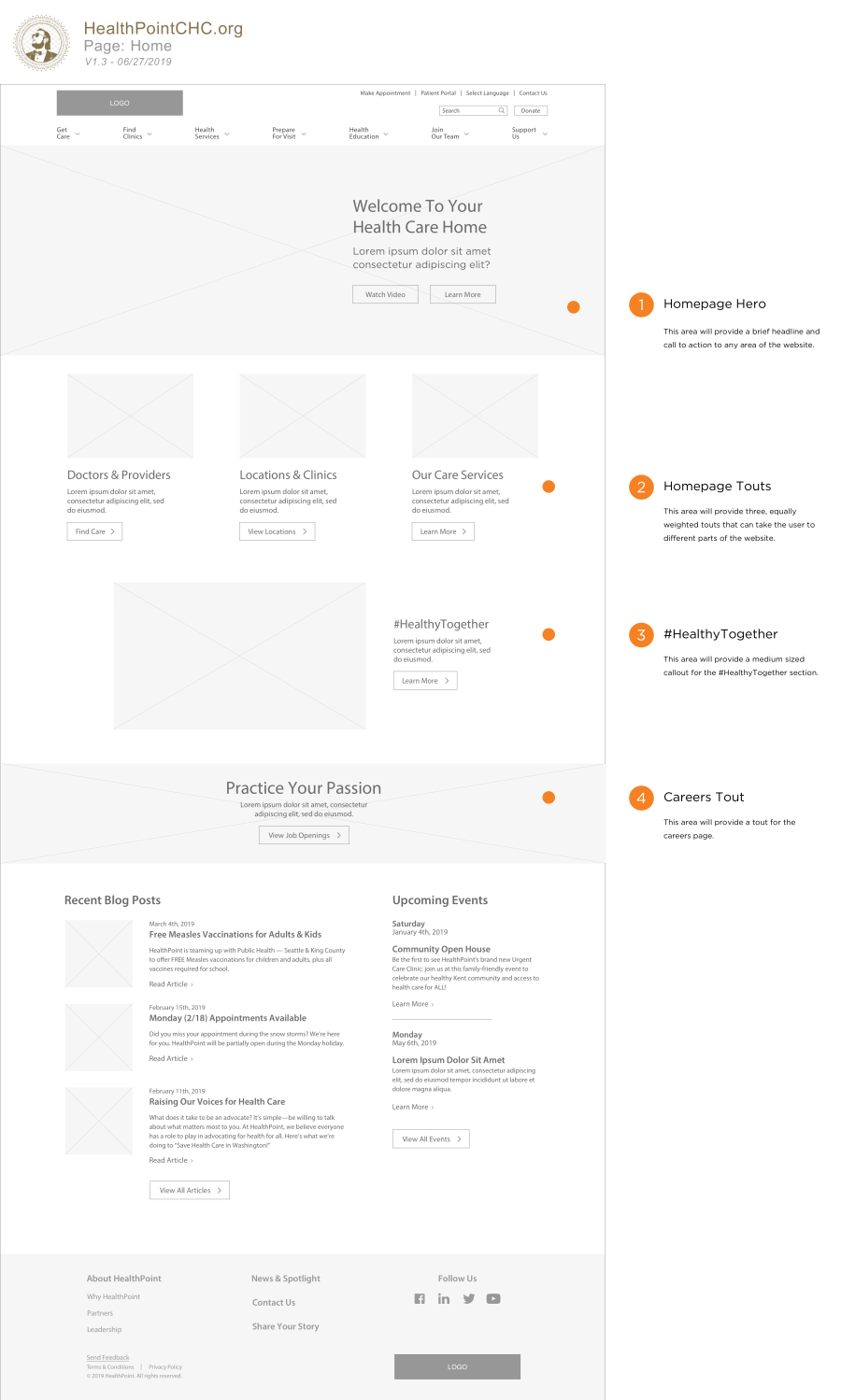
Together we collaborated on 4 rounds of wireframes before final approval.
Home (wireframe)
Landing Page (wireframe)
Standard Interior Page (wireframe)
Visual Design
The existing brand guidelines for HealthPoint were outdated, unfavorable, and hard on the eyes. A small portion of the project scope was to identify new fonts and explore color options based off the original brand identity. I provided some options in the original design presentation and the client chose Quicksand and Raleway paired together (Google Fonts). I was able to incorporate their original brand colors throughout however I added some transparency to the color in certain areas where the color is exaggerated and full. This made the design feel more welcoming and less intense. I also used subtle background textures throughout core components of the website to help add depth and interest. I reserved the primary colors for interactive items such as buttons and links.
Together we collaborated on 3 rounds of visual design before final approval.
Home w/ Subnav (design comp)
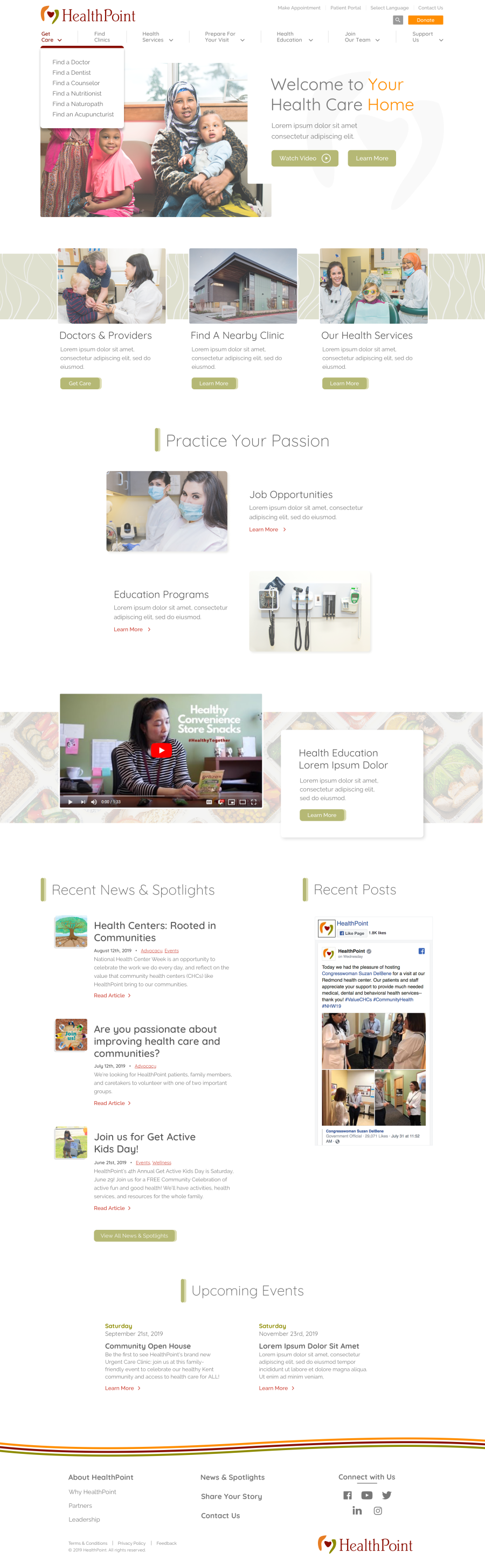
Landing Page (design comp)
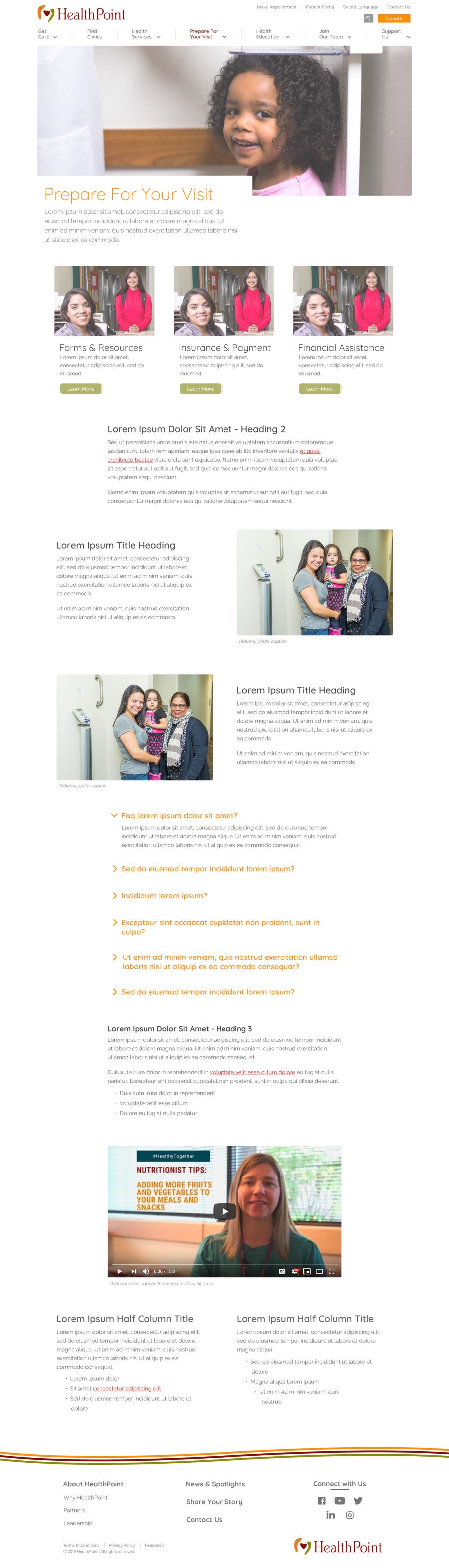
Standard Page (design comp)
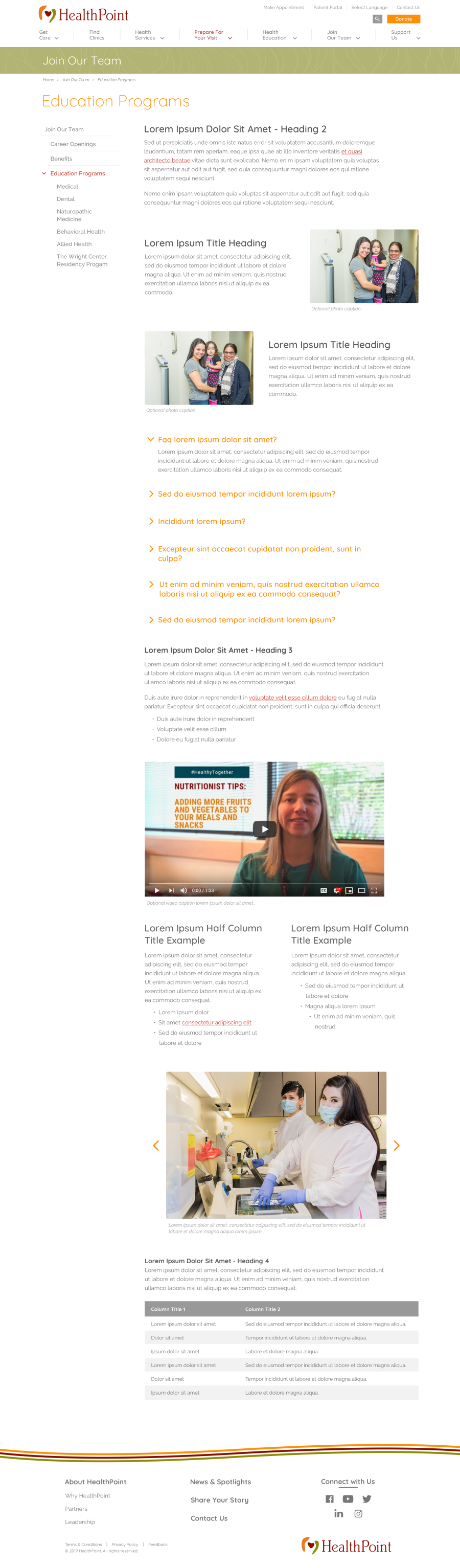
Nested Hierarchy
Deep emphasis and thought was placed on planning for complex nested content in which I determined the website needed 3 levels of depth within the tertiary navigation. To keep the navigation condensed and clean I designed a solution that kept the 3rd level navigation items collapsed unless one of those parent or child pages were active.
Nested Tertiary Navigation Example (production)
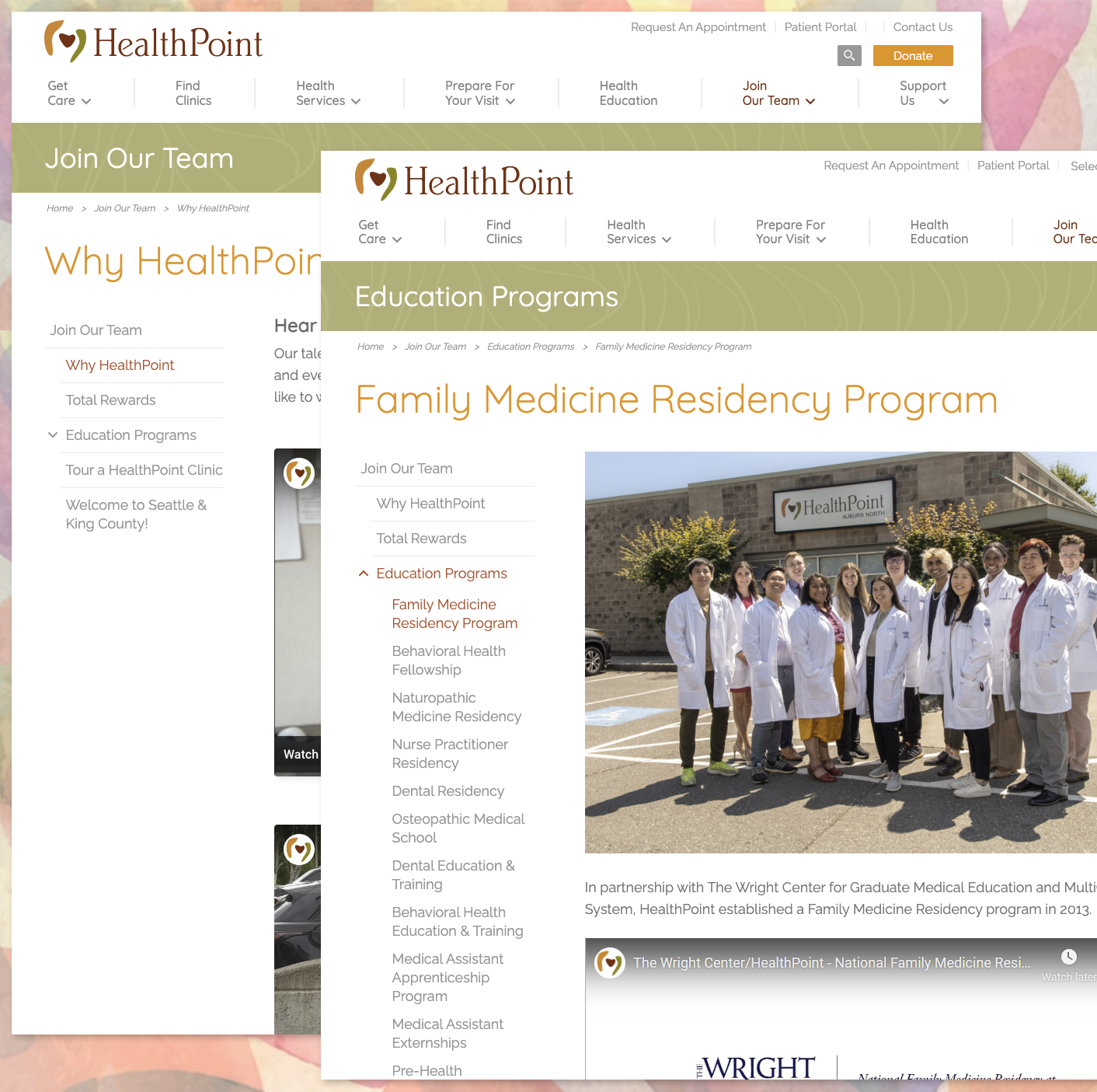
Content Strategy Facilitation
During the visual design process I guided their marketing team through a content strategy exercise to help with a site audit and refresh which helped with both usability and SEO. Ultimately they were able to collaboratively audit and refresh content within a simple content matrix I provided. I demonstrated how to effectively use the template during an in-person meeting. They were able to provide final content before CMS integration was complete.
Web Development & Custom CMS Integration
This website was developed using HTML, SCSS and jQuery/Javascript. I used minimal frameworks to help keep the code-base light, implement the custom design, and improve performance.
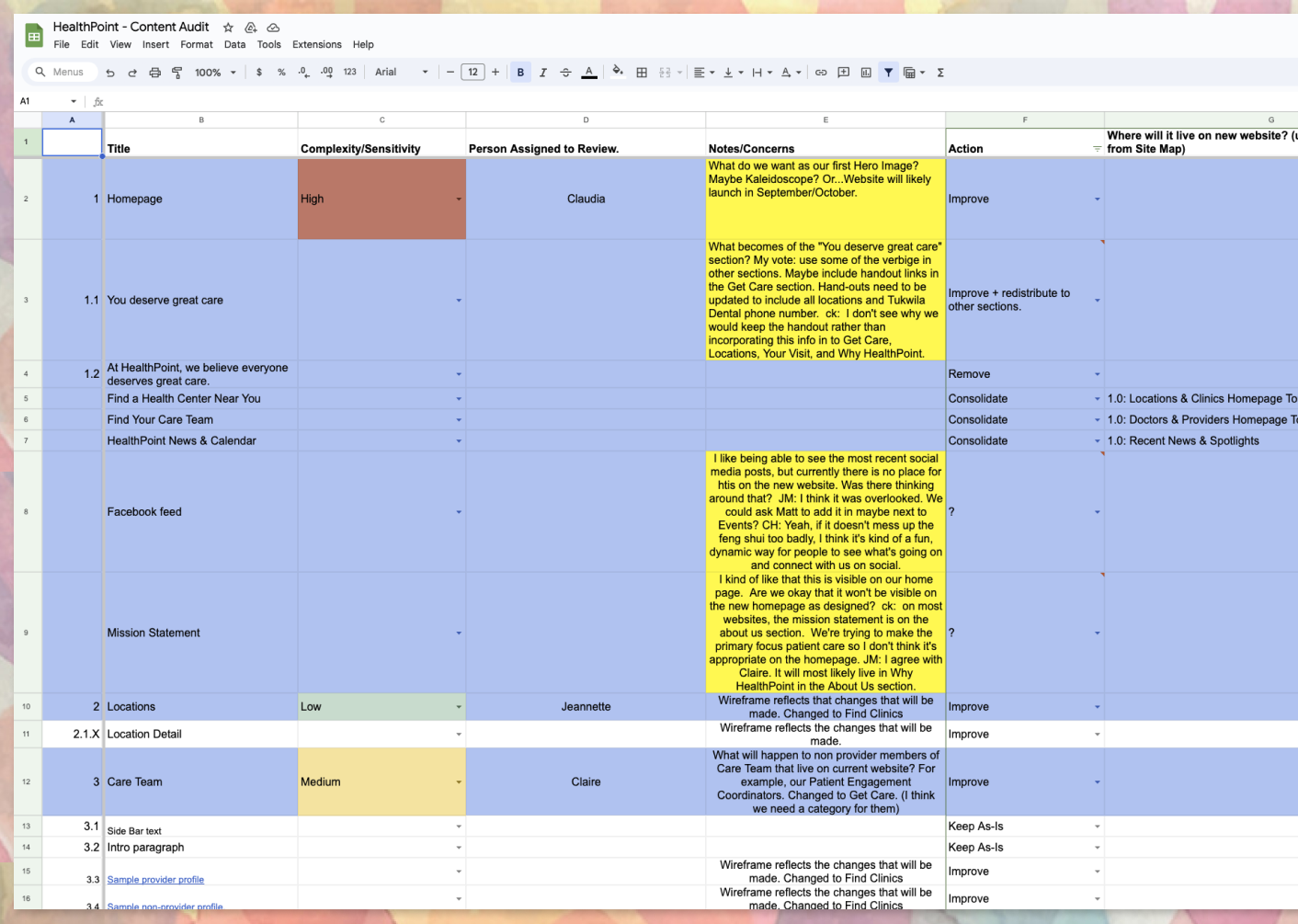
A simple and effective content management system was built with ExpressionEngine to allow their internal staff to manage the website once launched. I used minimal plugins for an improved editor experience without compromising performance. The "Structure" plugin was key for their success which allows them to easily create pages and nest them within a hierarchy tree. Both sub navigation and tertiary navigation automatically generate links on the fly when changes are made in the tree.
Structure Plugin Example (production)
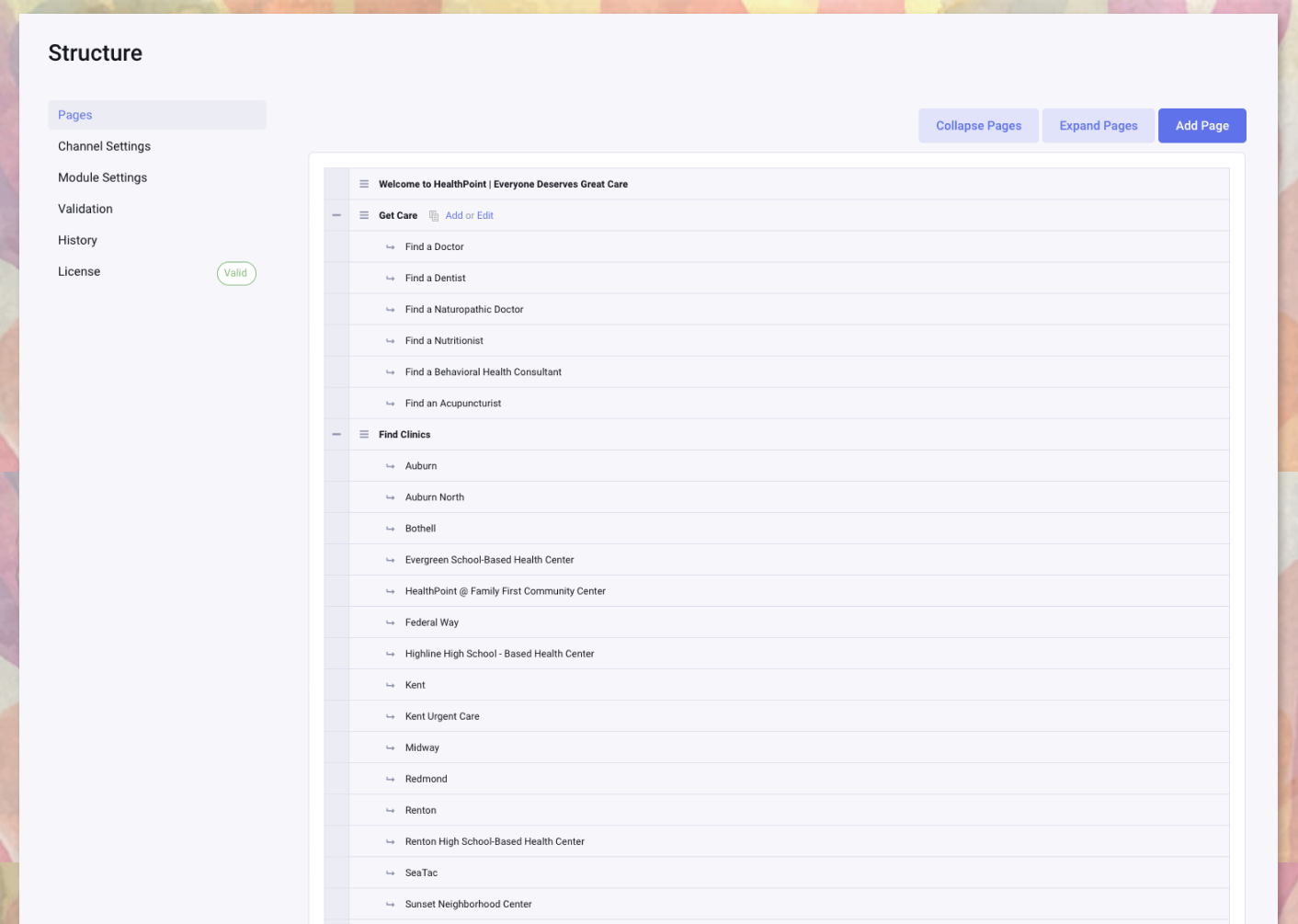
Add new page content and easily manipulate the website hierarchy.
Example Page Entry (production)
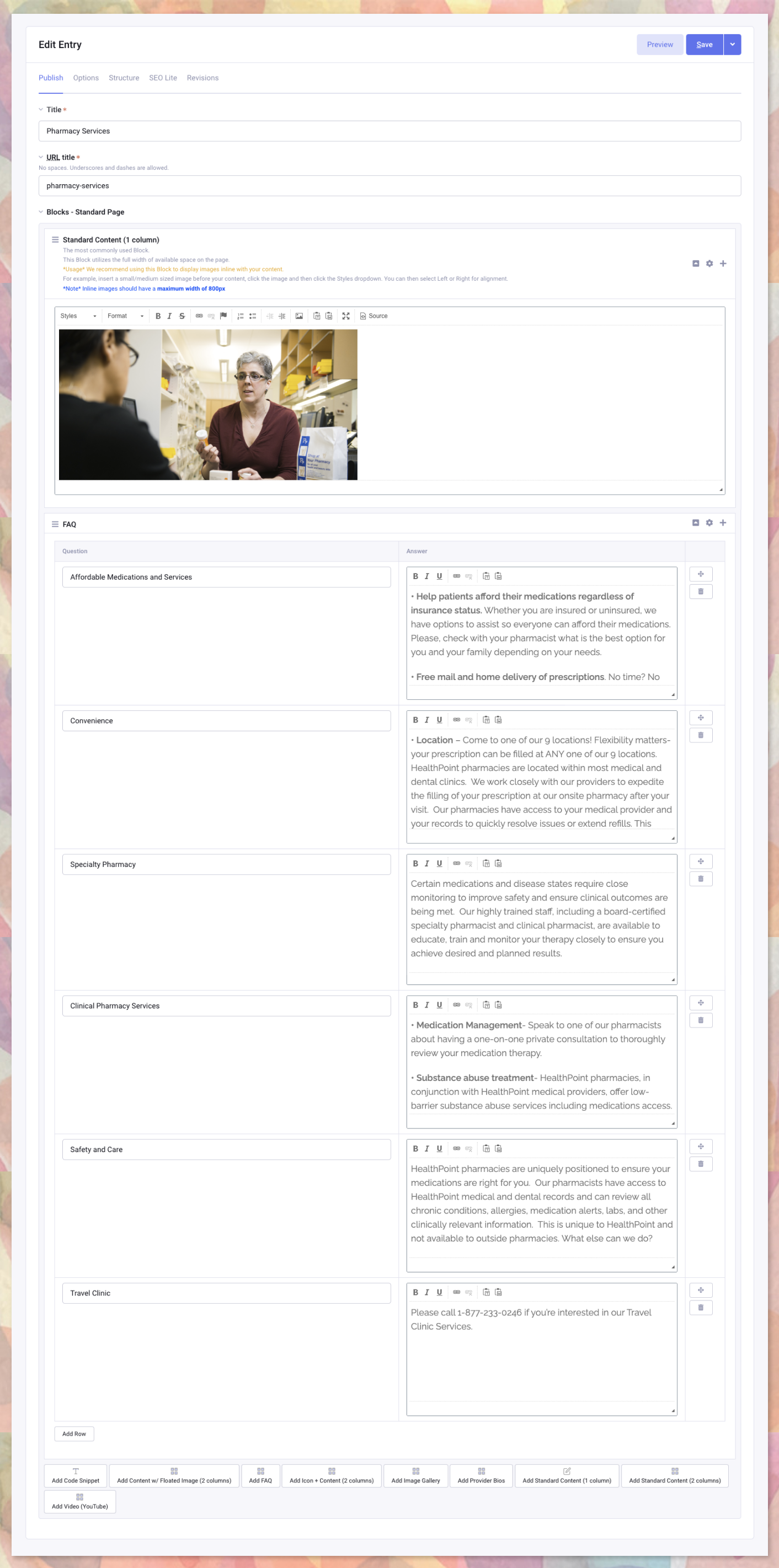
Flexible content blocks being used for content (component-based)
Medical Provider Example
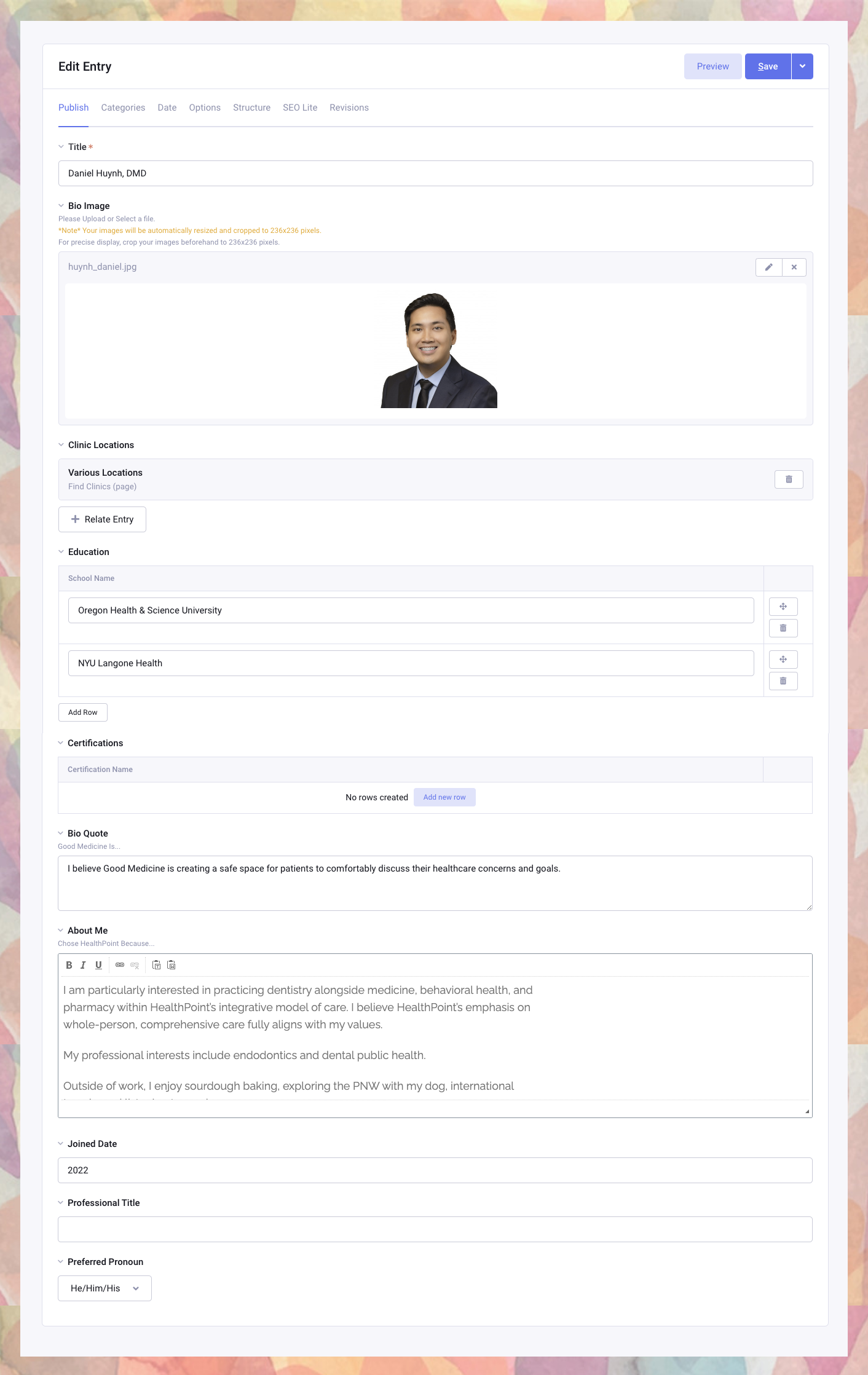
Easily make mutliple relationship associations within the CMS.
Global Touts Example (production)
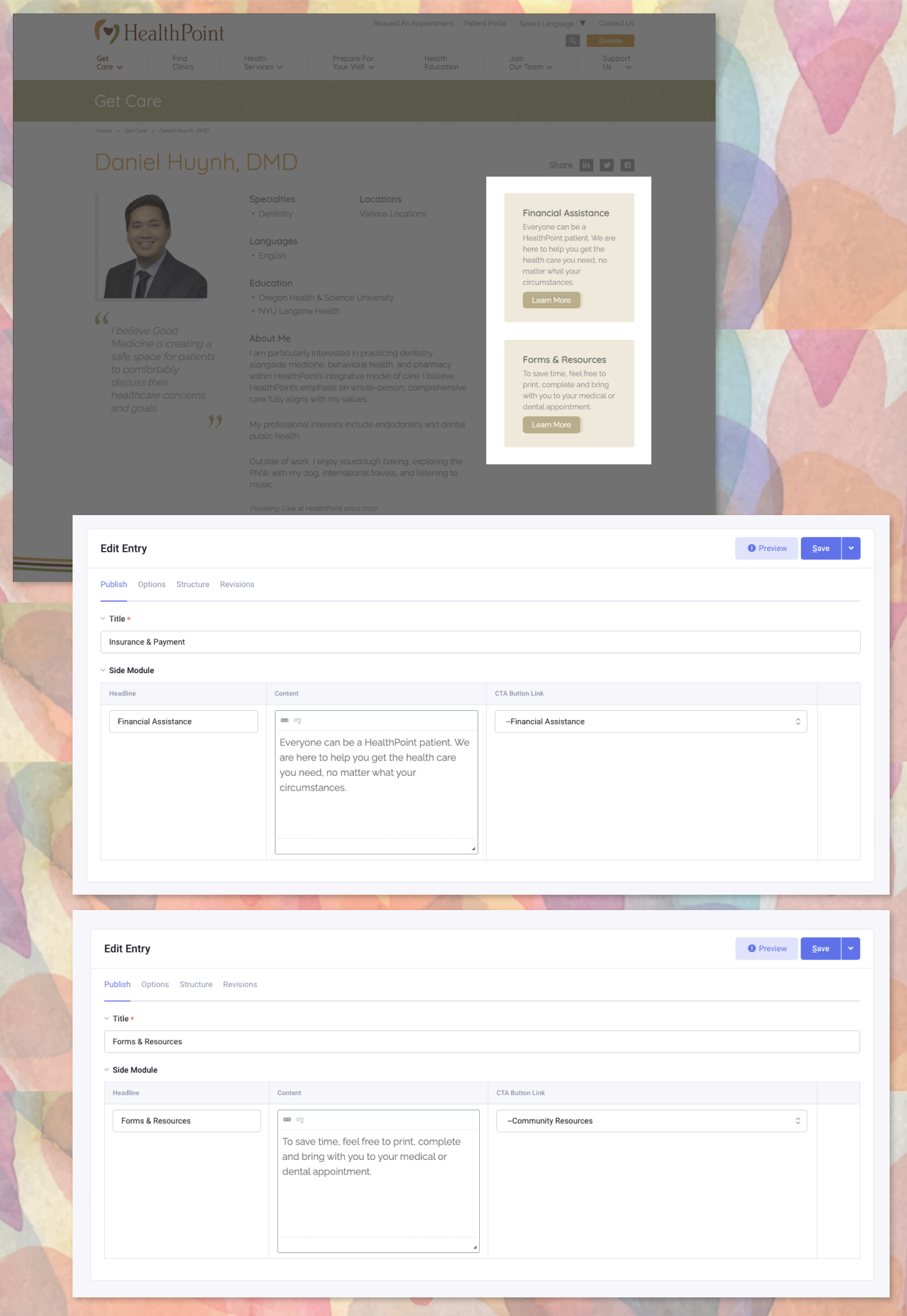
These are global information touts mean't to be created once and re-used on different templates. This makes updating core content easy and keeps the architecture DRY.
Custom Component-Based Page Authoring Tools in the CMS
The goal was to stop forcing content into one WSYWIG editor and allow the ability to create a unique page that matches the requirements of the content. Together we identified different use-cases for content types early in the process and designed against each one. These are available on a few different templates however primarily used on the standard and landing page templates. Different blocks of content can be easily added and moved around the page layout easily within the CMS. This gives them a variety of tools to curate content on any interior or landing page. Additional components can be added by a developer at any time.
The current component blocks available:
- Standard Content - Full Width (H2, H3, P, Links, Ordered lists, etc).
- Standard Content - Two Column Layout (H2, H3, P, Links, Ordered lists, etc).
- Content w/ Floated Image & Optional Caption
- The image can float to either side of the content via toggle button field in the CMS.
- Frequently Asked Questions
- By default the answers are collapsed.
- Embedded Video
- Image Gallery w/ Optional Captions
- Tabular Data (Table)
Component-Based Content Blocks (notated)
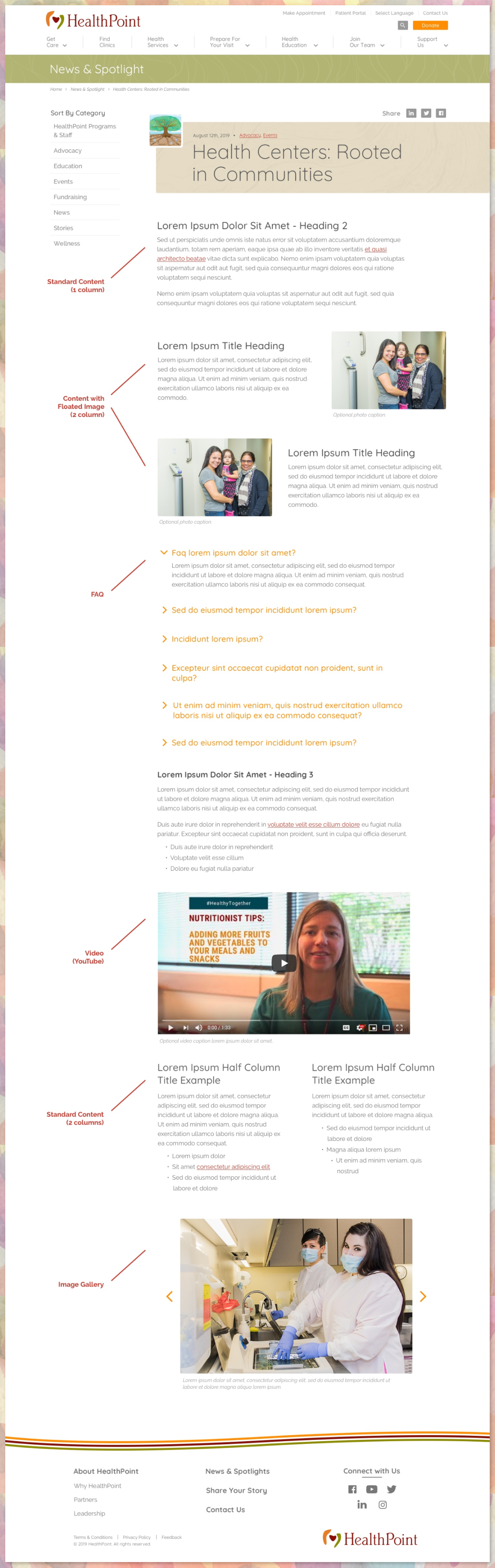
Multi-Dimension Filtering of Providers
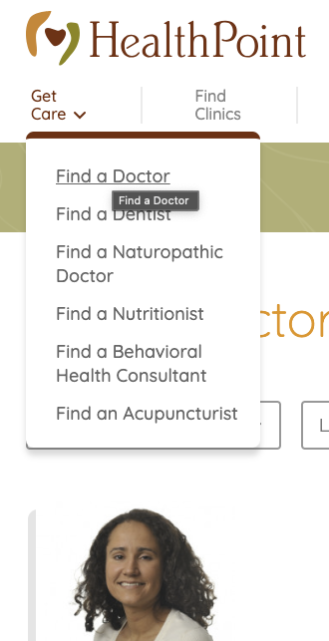
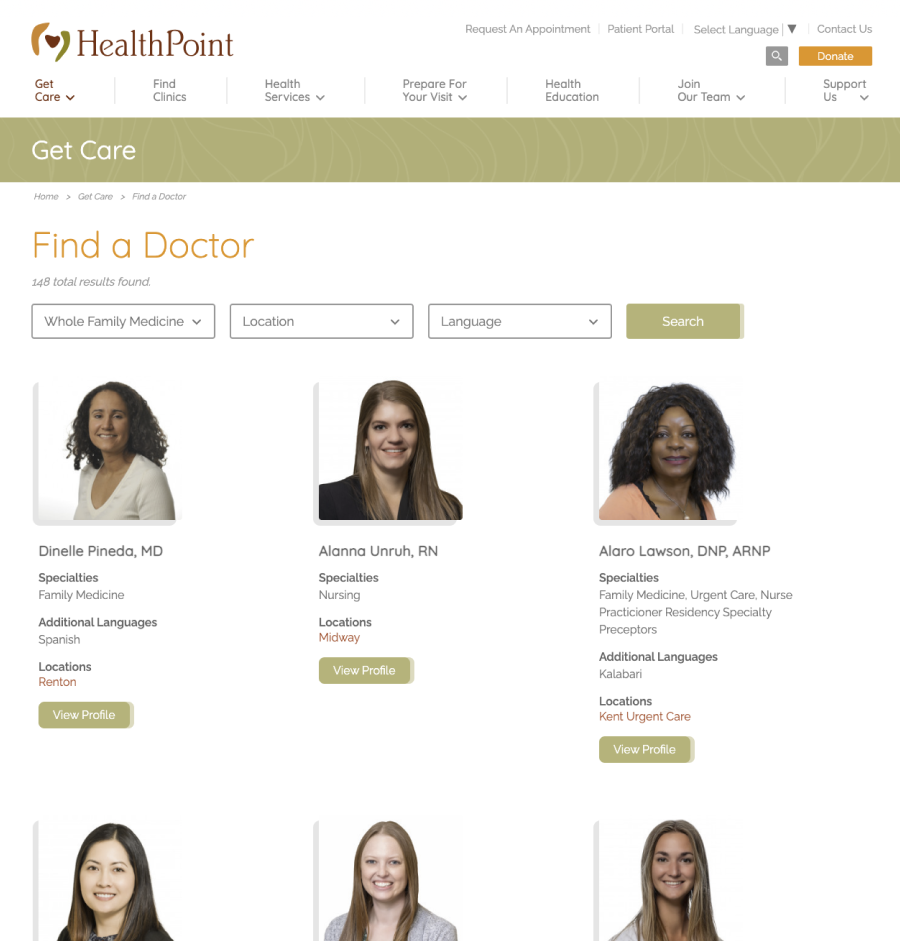
I created preset queries with a built-in search function to automatically display groups of categorized providers (e.g., Doctors, Dentists, etc.). These quick links allow user's find a specific health provider quickly. Three additional filters were added once the user lands into a primary category to help refine their search: Speciality, Location, and Language. These are all associated via database relationships within the CMS.
Quick Filter Dropdown
Filtered Results w/ More Filtering Options
Custom Landing Page - Community Report
I designed and developed an annual report template for them to display facts about assistance they provided Americans during a given year. This interactive project included scroll animations and incrementing factoids for a clean and smooth effect.
View Live Page
Annual Community Report (production)