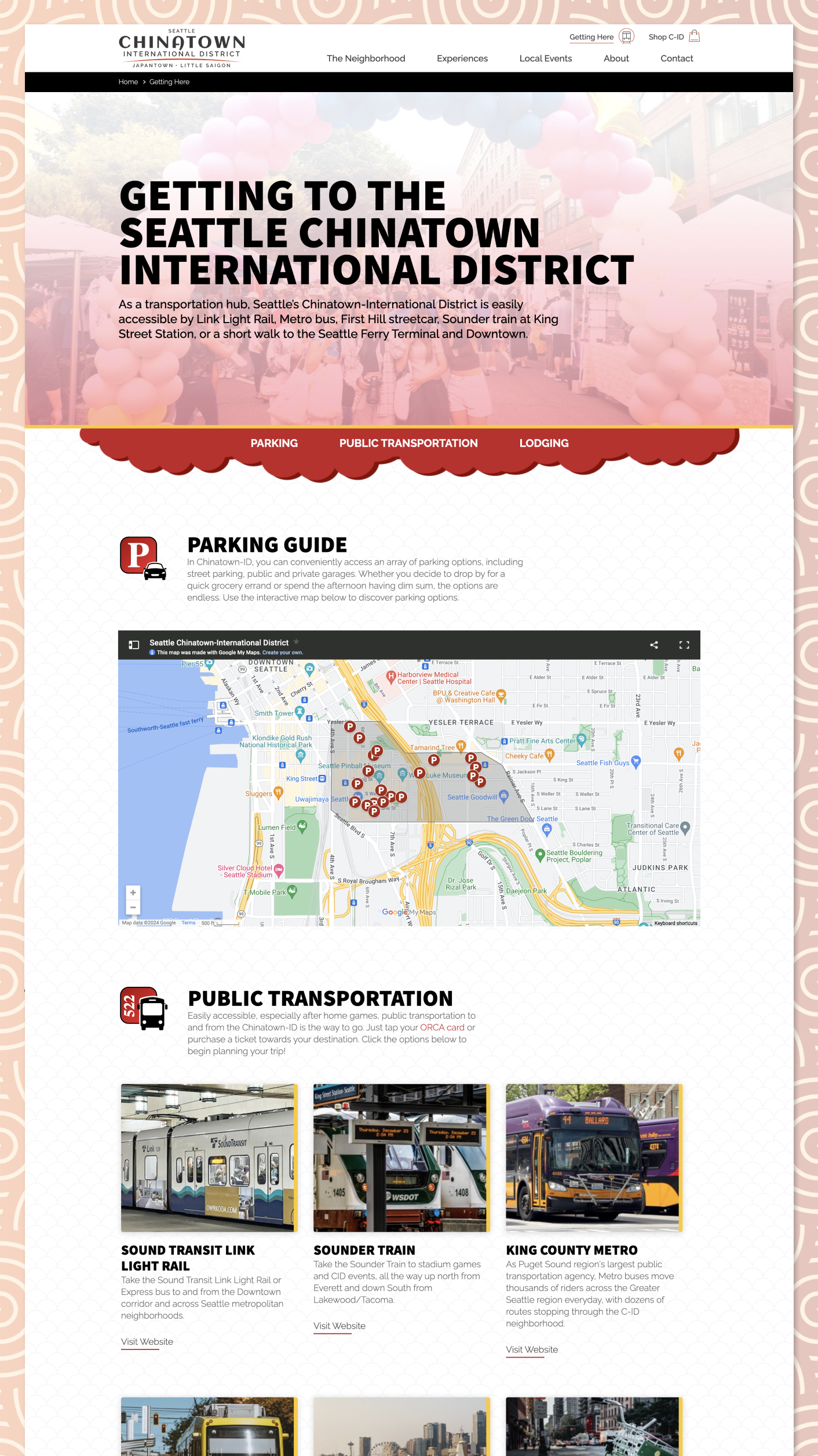
Homepage Evolution (production)
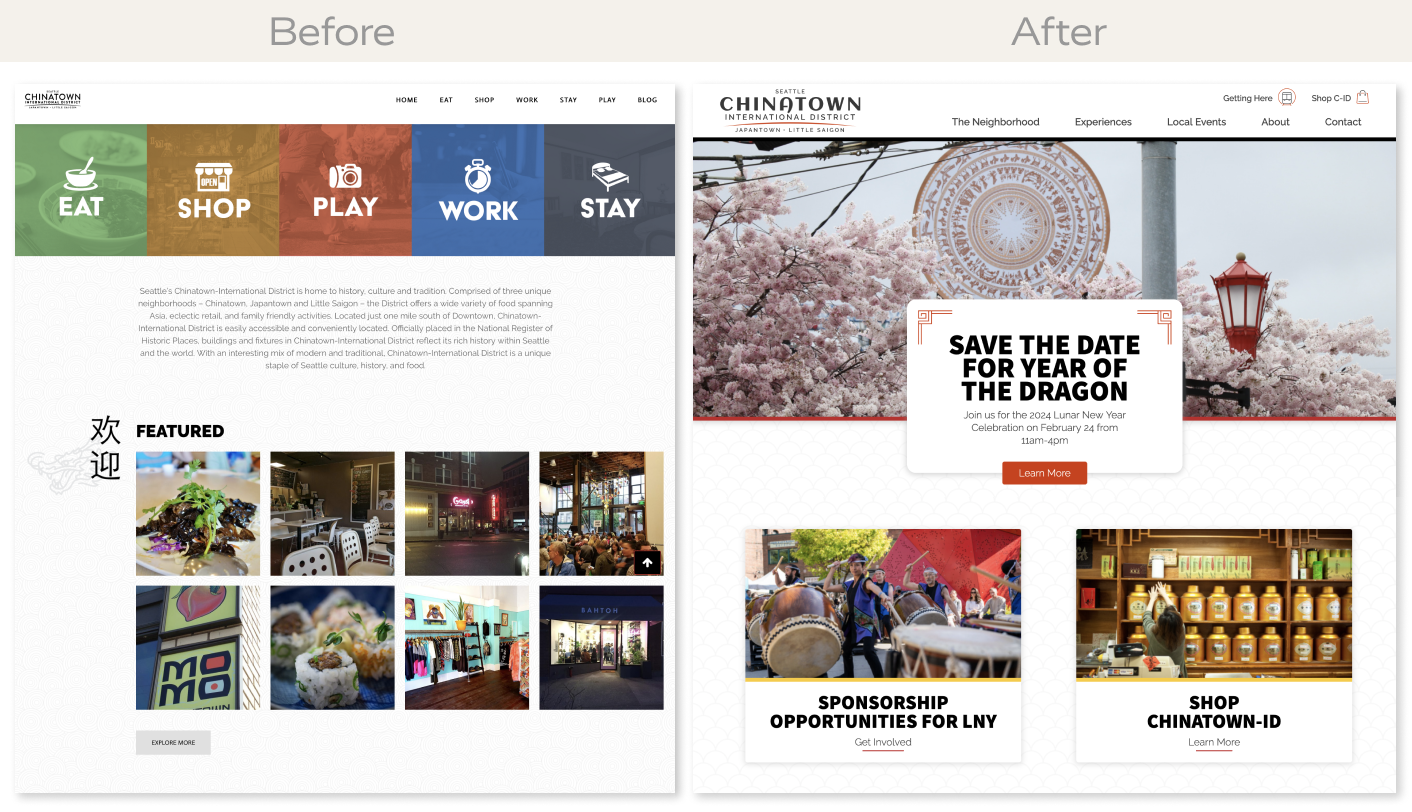
Before (left) and after (right) the website redesign.
My Roles
- Creative & Art Direction
- Discovery
- Concepting
- Facilitated Client Presentations
- IA / UX Design
- Requirement Gathering & Competitor Research
- Sitemap
- Wireframing
- Visual Design
- Brand Identity Refresh (typography/color)
- Website Design
- Web Development
- Front-end Development (HTML/CSS/JS/AJAX)
- Back-end Development (ExpressionEngine/PHP)
- System and Database Administration (LAMP/MYSQL)
- Account and Project Management
Key Contributions
- Product market place with user generated content.
- Multi-dimension filtering of businesses and store products.
- Categorized resources and tutorials for educating small business growth.
- 14 fully responsive unique page templates.
- Intuitive custom content management system for easy content authoring and editing.
- Custom component-based page authoring tools in the CMS.
- Custom Google Map that illustrates a friendly parking guide for travelers.
Information Architecture
Weeks before kickoff a website redesign questionnaire was distributed to their small internal marketing team. Each stakeholder filled and submitted the questionnaire in which I used the data to gather baseline requirements, generate ideas and help guide the first meeting. It's a great method to get the ball rolling.
I facilitated the kickoff meeting by explaining the website redesign process, reviewed examples sitemap and wireframes, project timelines, and finally reviewed everyone's answers. We had an open conversation about the new website and reviewed competitor websites together.
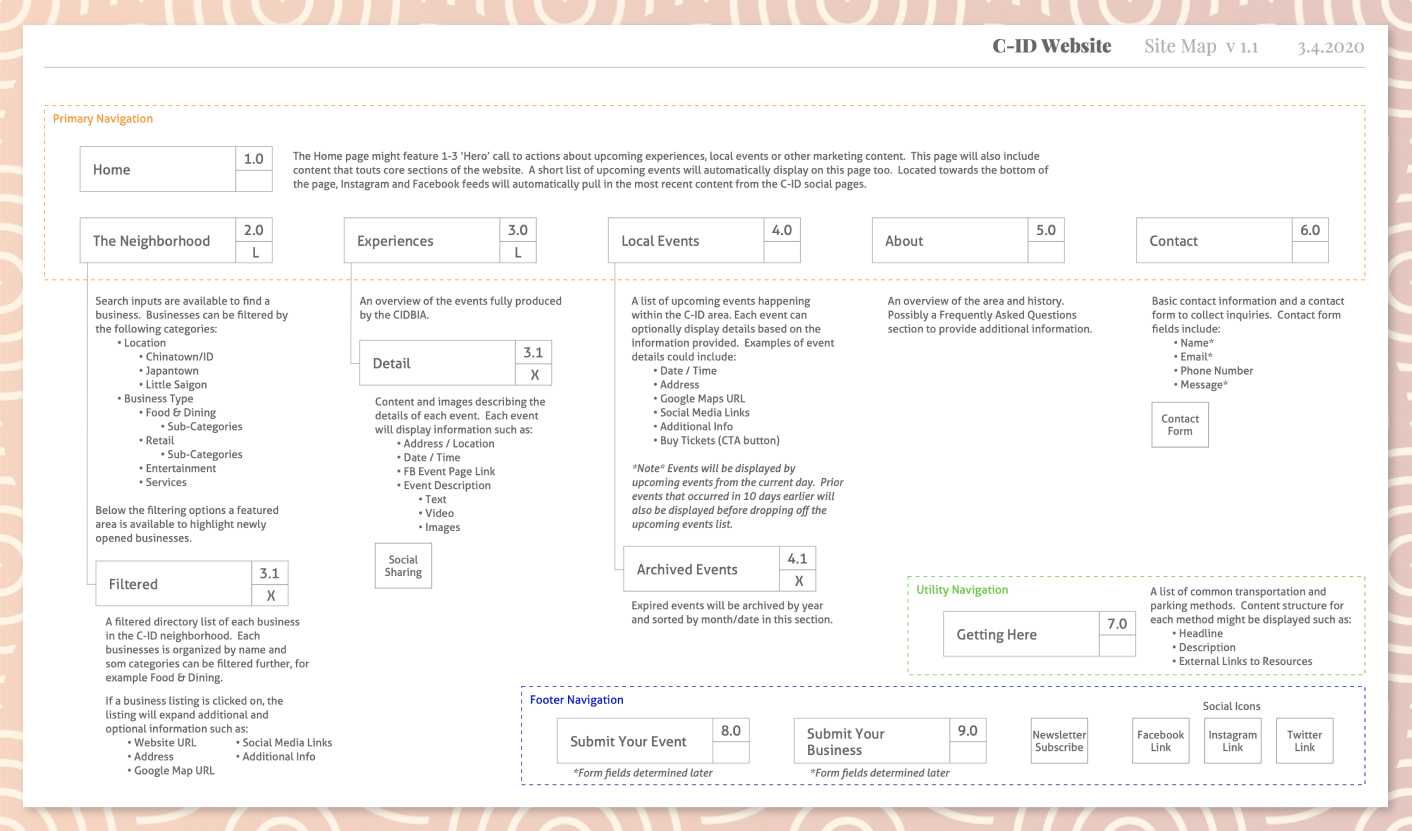
Together we collaborated on 2 rounds of the sitemap document before final approval. Nailed it.
Final Sitemap
User Experience Design
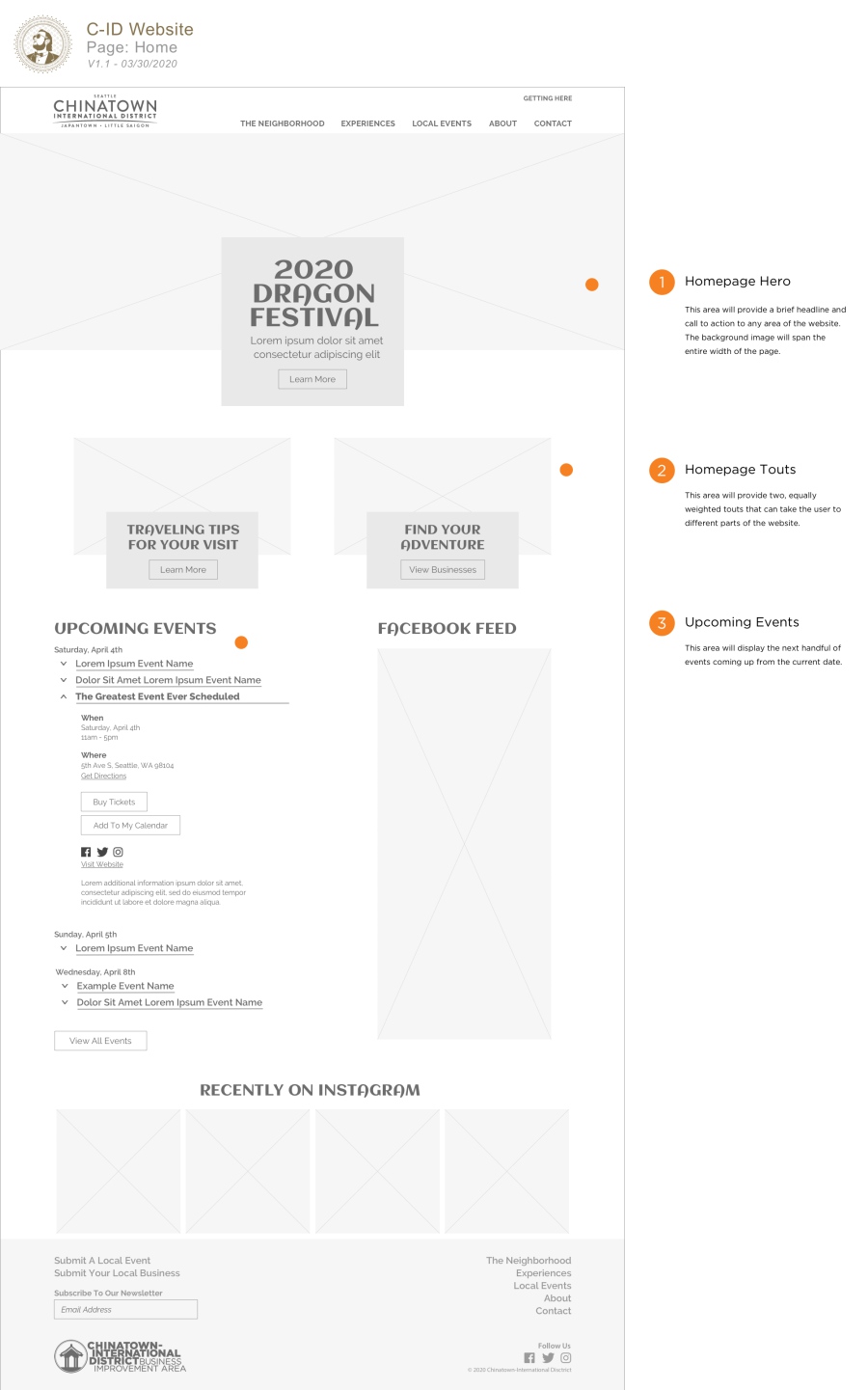
The proposed functionality and layouts were well received by the client with minimal feedback. I provided live examples and walked her through the UX decisions I had made throughout my process. The largest piece of feedback was to scale back the "Business Directory" functionality of the website. They preferred to keep this very minimal, removing the need for a unique page for each business within the neighborhood. This was due to a lack of assets for many of the businesses (surprisingly enough many did not have brand logos).
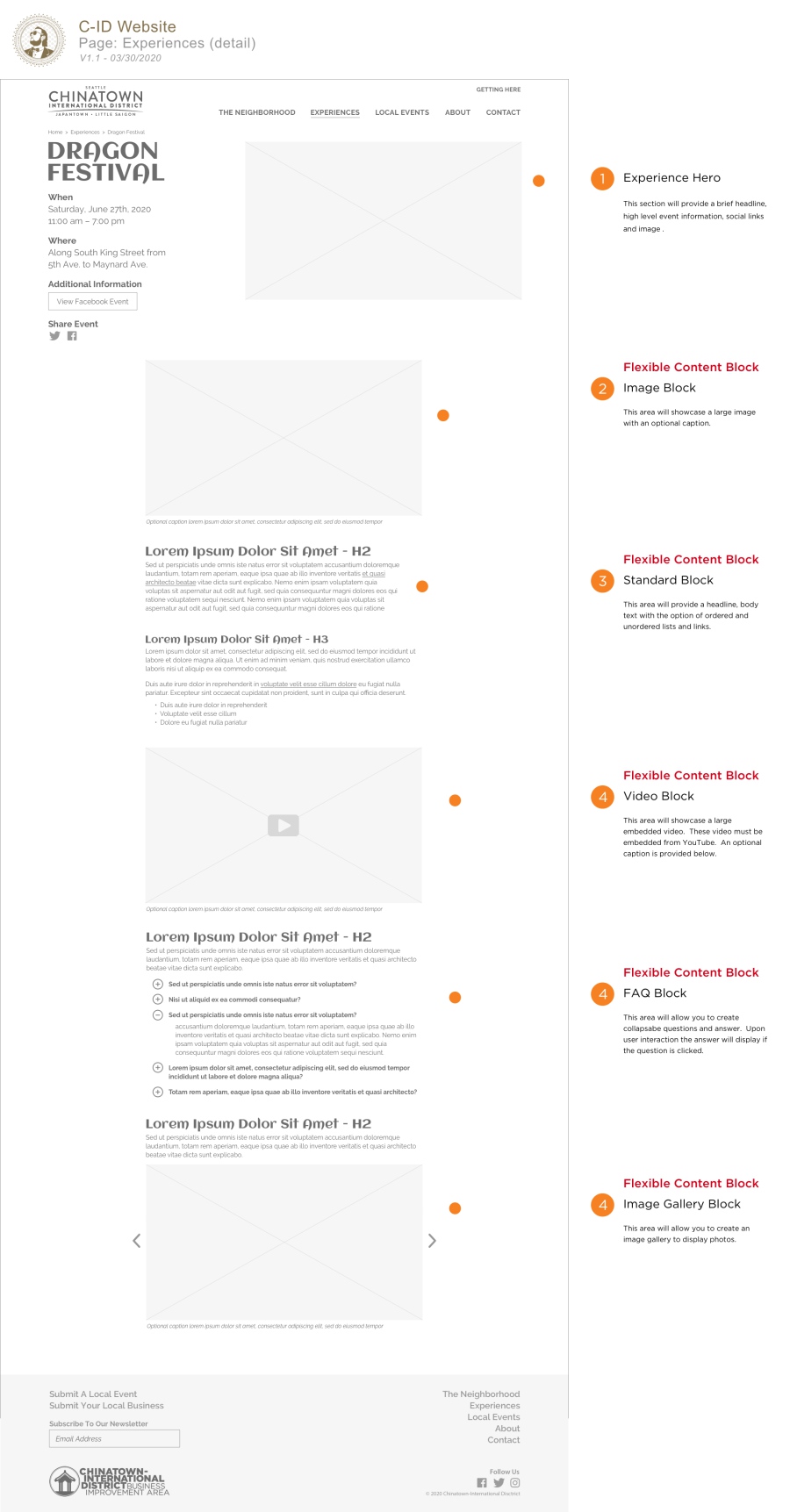
Together we identified and confirmed requirements for component-based content blocks which can easily be added and re-arranged (drag and drop) within the CMS. They really wanted the freedom and flexibility to build out pages.
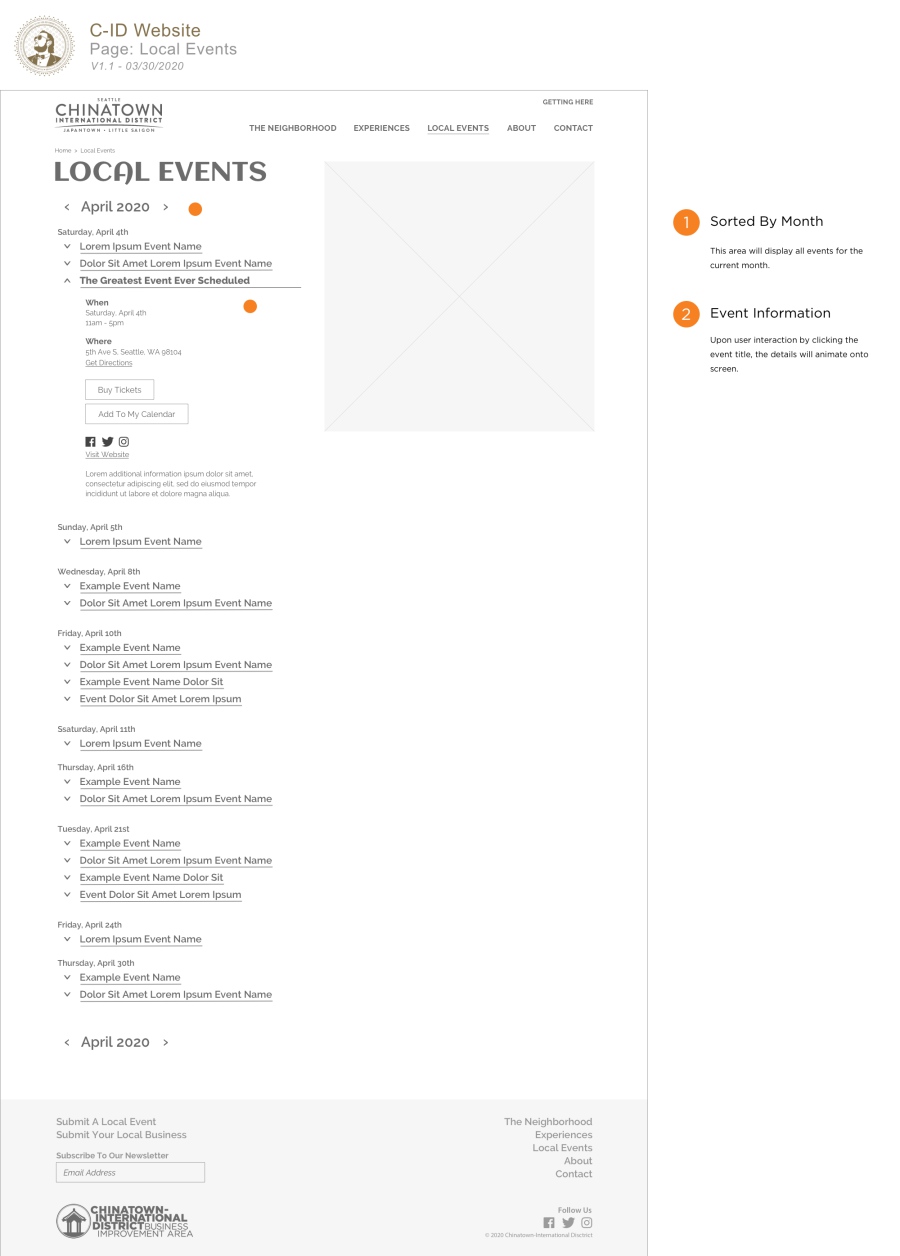
Together we collaborated on 2 rounds of wireframes before final approval. Nailed it again.
Home (wireframe)
Standard Template (wireframe)
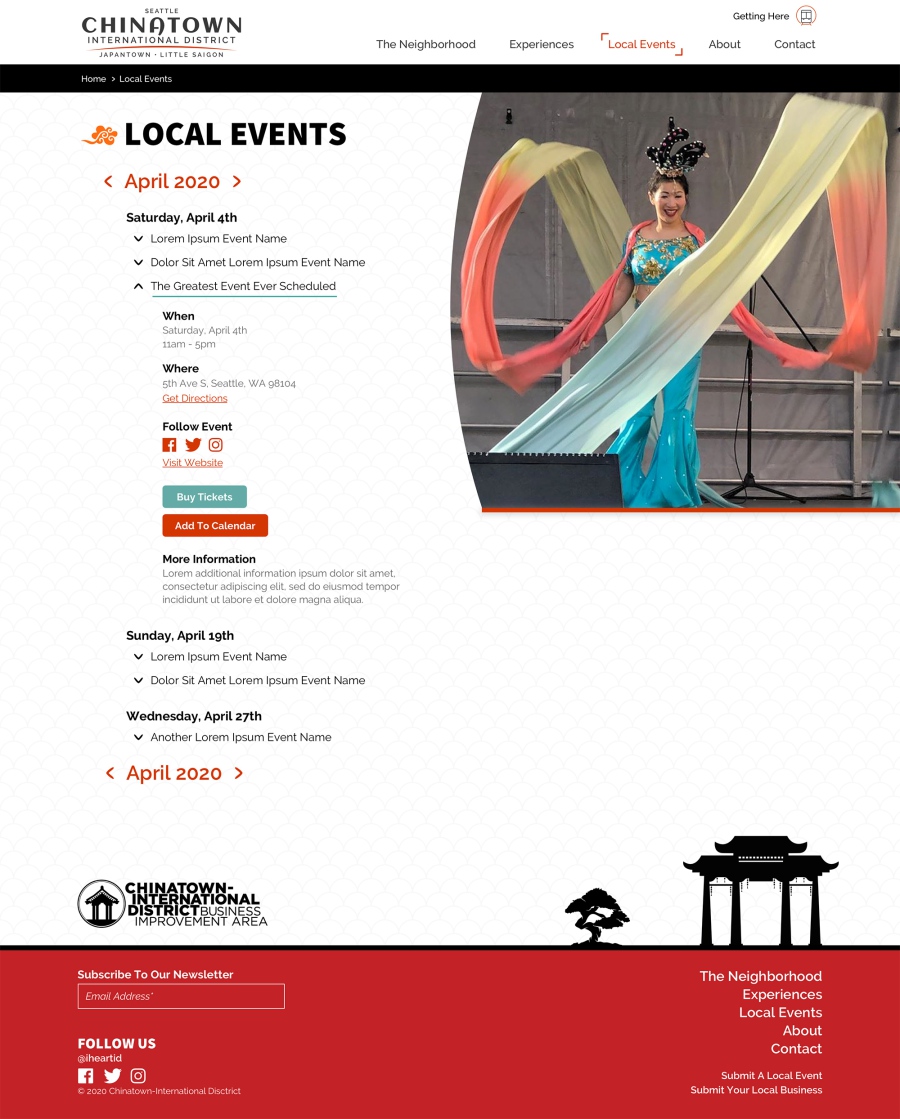
Events Calendar (wireframe)
Visual Design
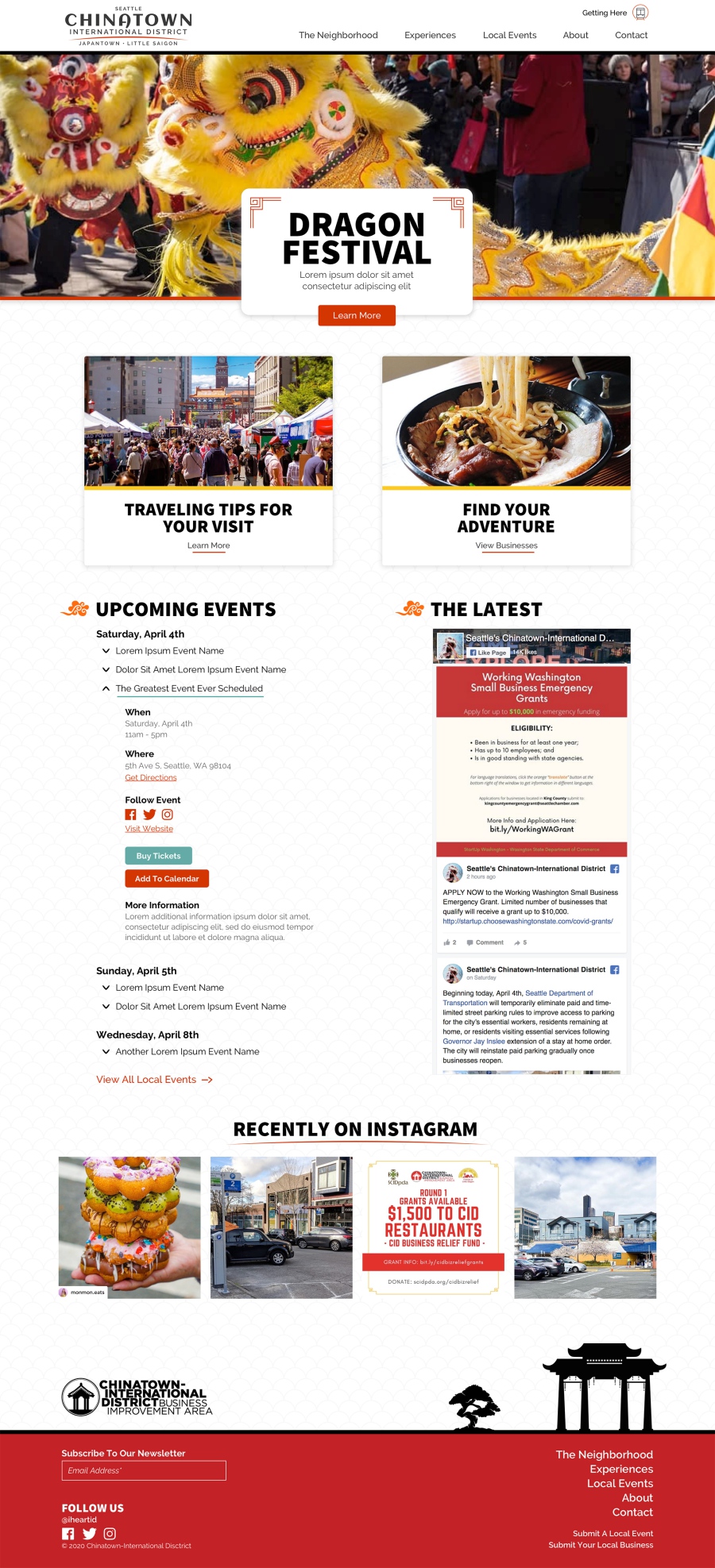
The largest challenge was that they did not have brand guidelines, only a logo (that's okay, I like a good challenge). I based my design off their logo, previous print collateral, and miscellaneous inspiration around the web. I also recommended new font pairings and explored color options based off everything shared with me. I provided some options during the first homepage concept presentation and the client chose Raleway and Source Sans Pro paired together (Google Fonts). The colors red, black, orange, and yellow were selected based on different Asian cultures. Color was used to compliment the overall clean design and used intentionally. For example borders on imagery to give them pop, interactive links, and iconography.
At a high level the client requested a clean layout with a strong cultural Asian look and feel. Instead of plain white for the main body background color I used an Asian-inspired half swirl texture and pulled it back for a subtle effect that was easy on the eyes. The footer was a fun and unique element to the overall design because it incorporates a flat vector illustration of their ornate Grand Pavilion located in Hing Hay Park (Fun fact - it was designed and constructed in Taipei, Taiwan).
Together we collaborated on 3 rounds of visual design before final approval.
Home (design comp)
Experience / Detail (design comp)
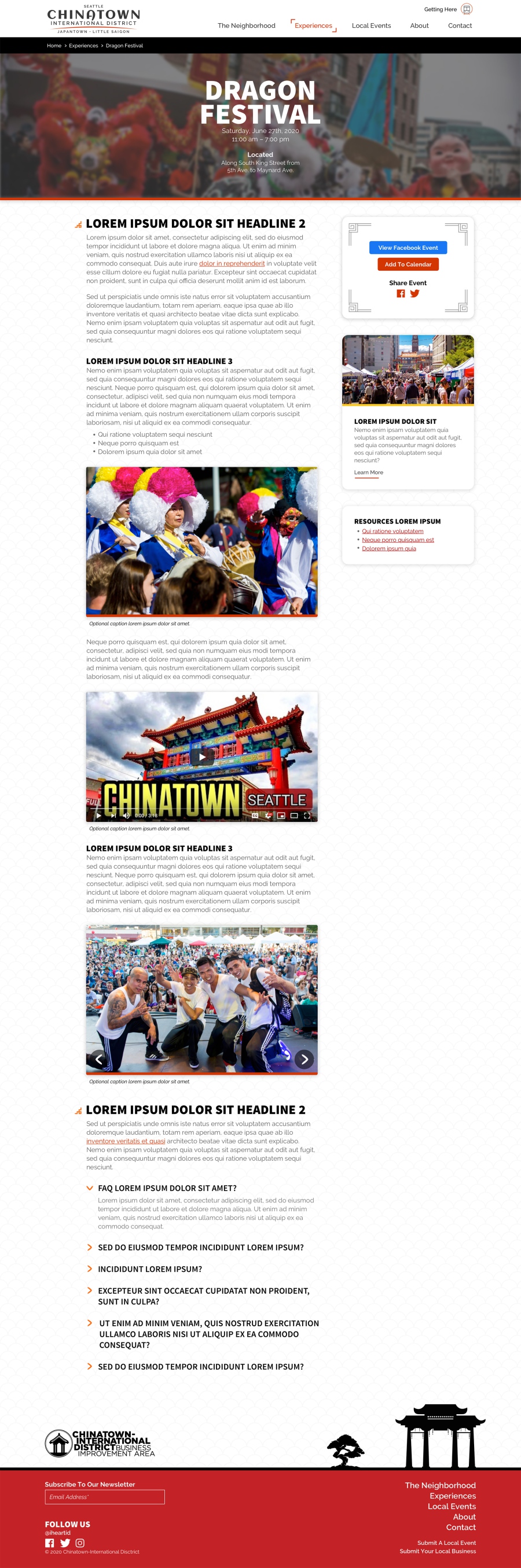
Events Calendar (design comp)
Web Development & Custom CMS Integration
This website was developed using HTML, SCSS and jQuery/Javascript. I used minimal frameworks to help keep the code-base light, implement the custom design, and improve performance.
The user-friendly, secure, and well-supported content management system ExpressionEngine was favored for this project. Their internal staff now fully manages the website content post-launch. As with all of my builds, I used minimal plugins for the best website performance. This project required two notable plugins to help support the requirements: A comprehensive calendar and advanced search plugin.
Different Entry Content Examples (production)
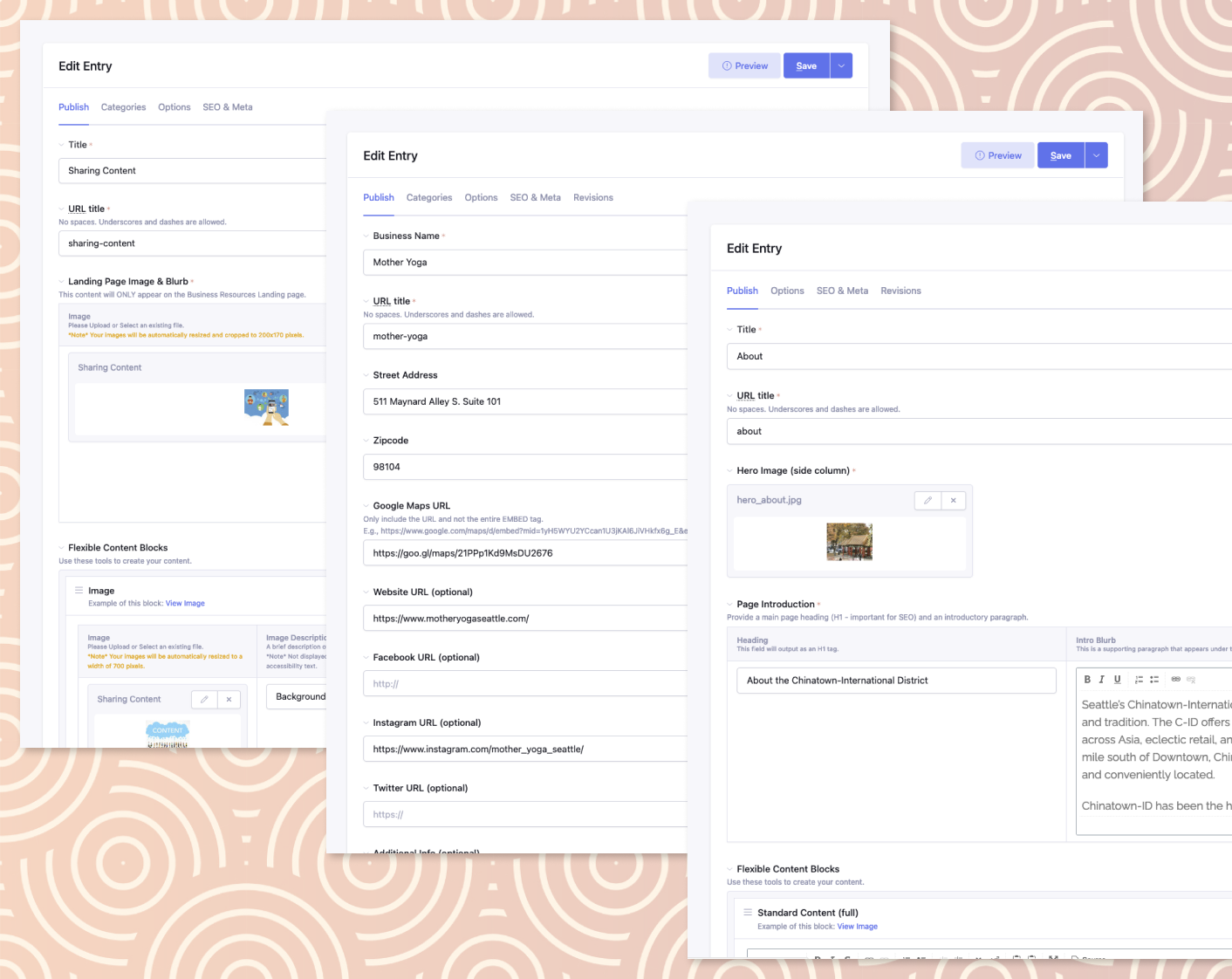
Business resources entry (left), directory detail entry (center), and standard template (right)
Experience Page (production)
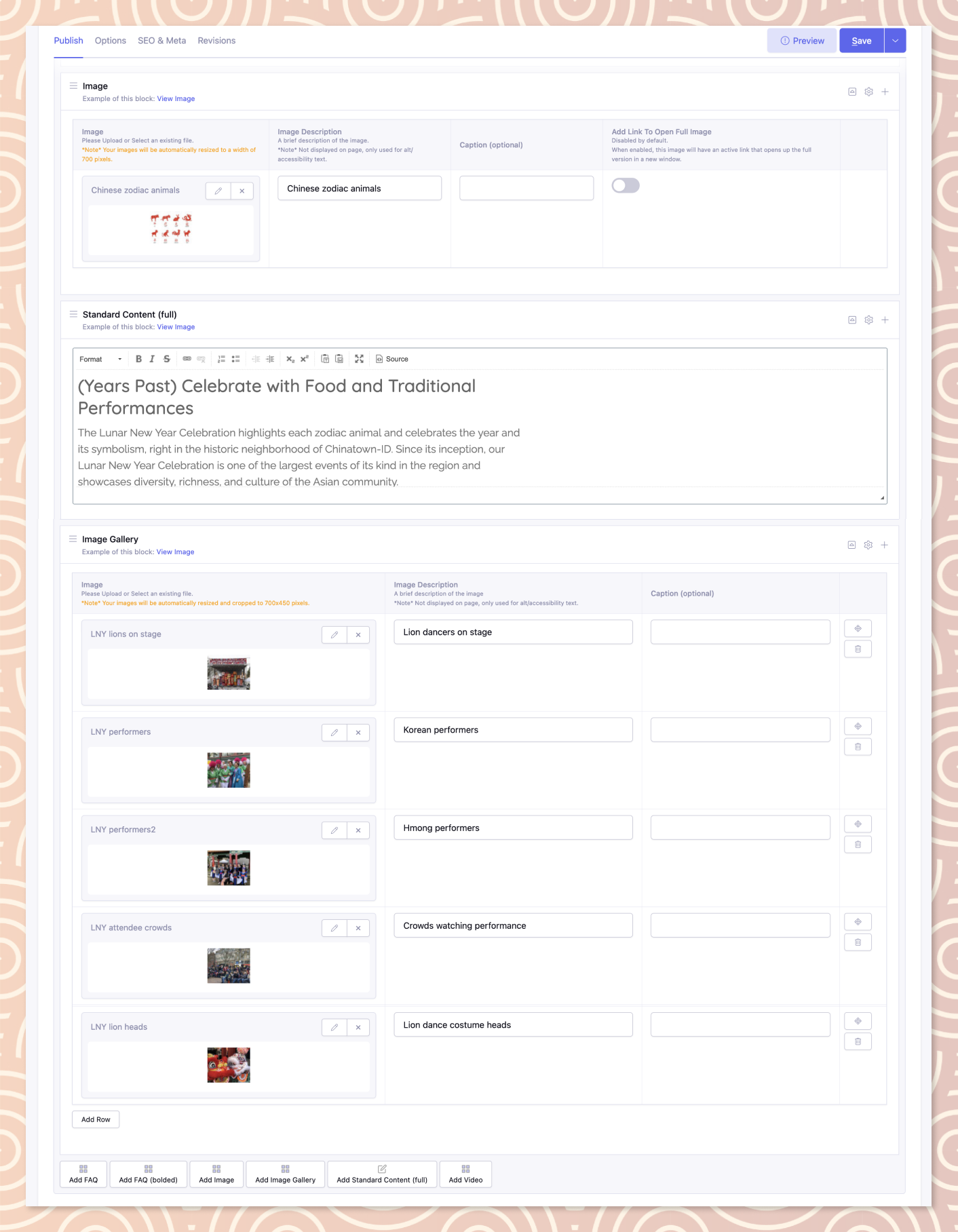
Flexible content blocks being used for unique content curation (component-based)
Product Marketplace
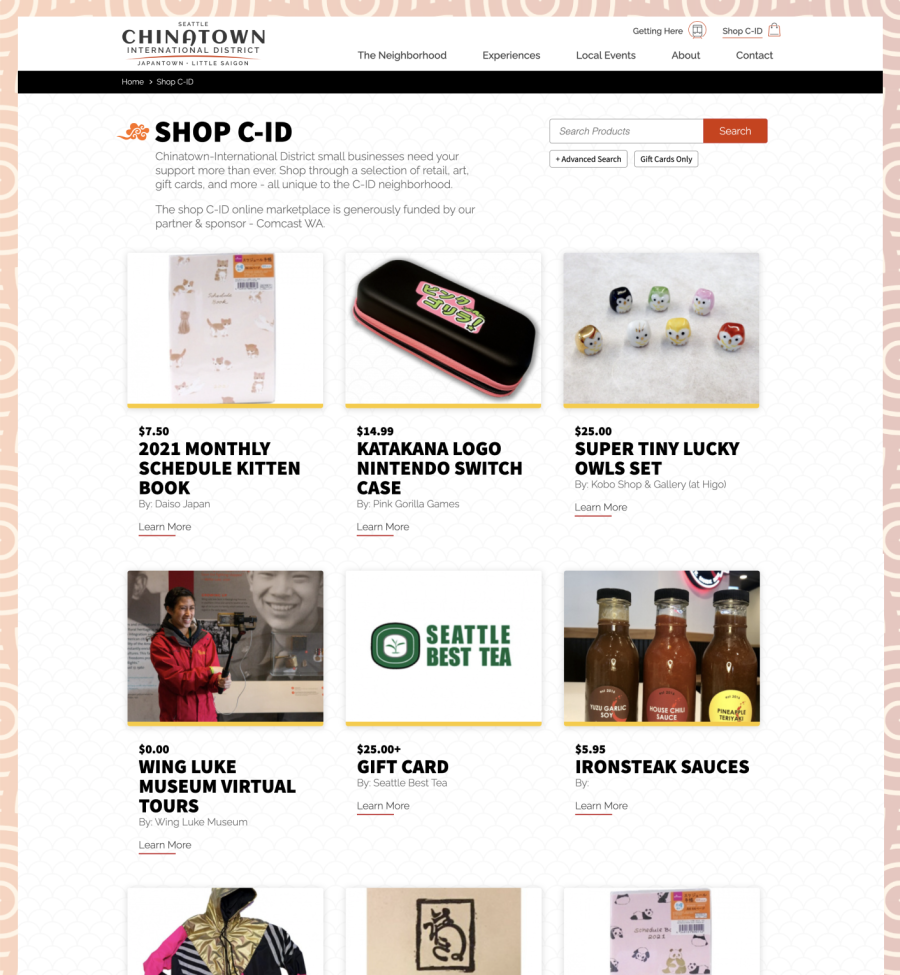
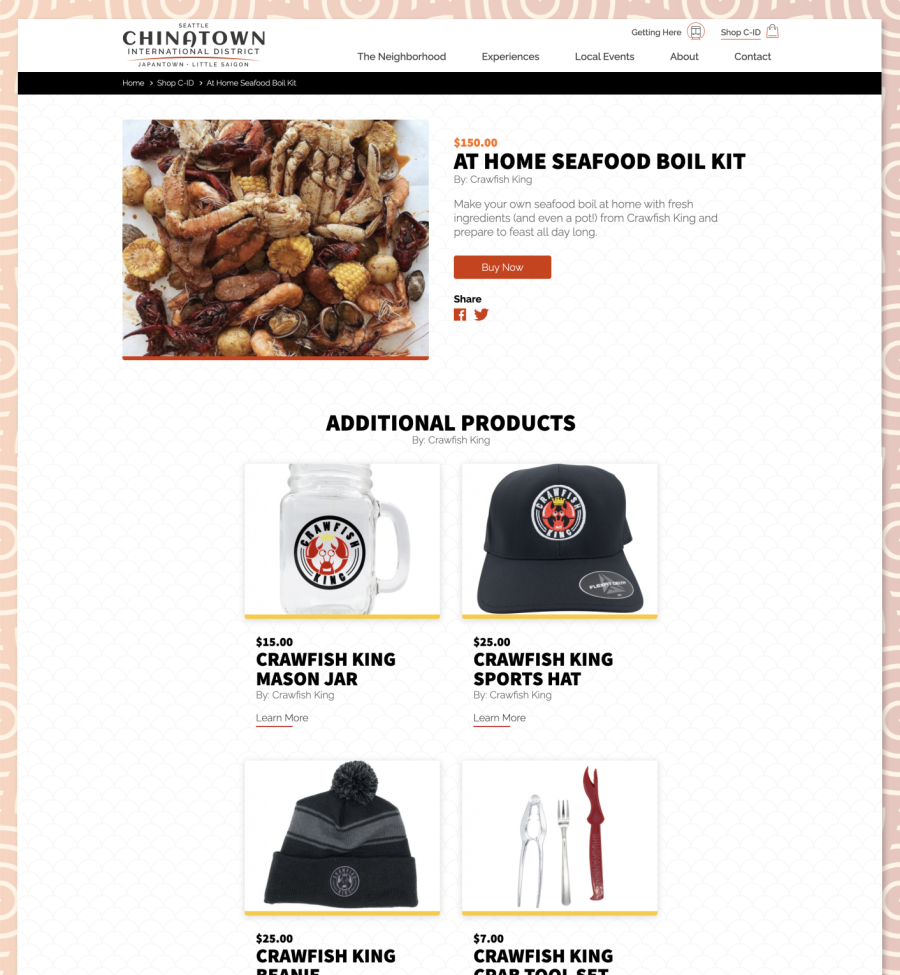
After the website was launched the client requested a new project to help support local C-ID businesses. A new section titled "Shop C-ID" that could display products, art, and gift cards currently being sold by local business owners. There never intention to make this a true e-commerce transaction, relieving the need for a shopping cart experience and simply pushing users to each respected businesses website. The layout and design for this project was intentionally created to resemble a typical product detail page experience (images, price, description, call to action, related products sold by vendor, etc).
A unique challenge to this new section was determining how the items were managed within the CMS. I created a custom form withinin the CMS that local businesses use to submit their products. Once the form is submitted it populates all of the content into a new product entry and marks it as "pending" - making sure it does not go live immediately. An email notification is then sent to C-ID staff members about the new submission, they review the content and if approved, publish it. Pretty slick.
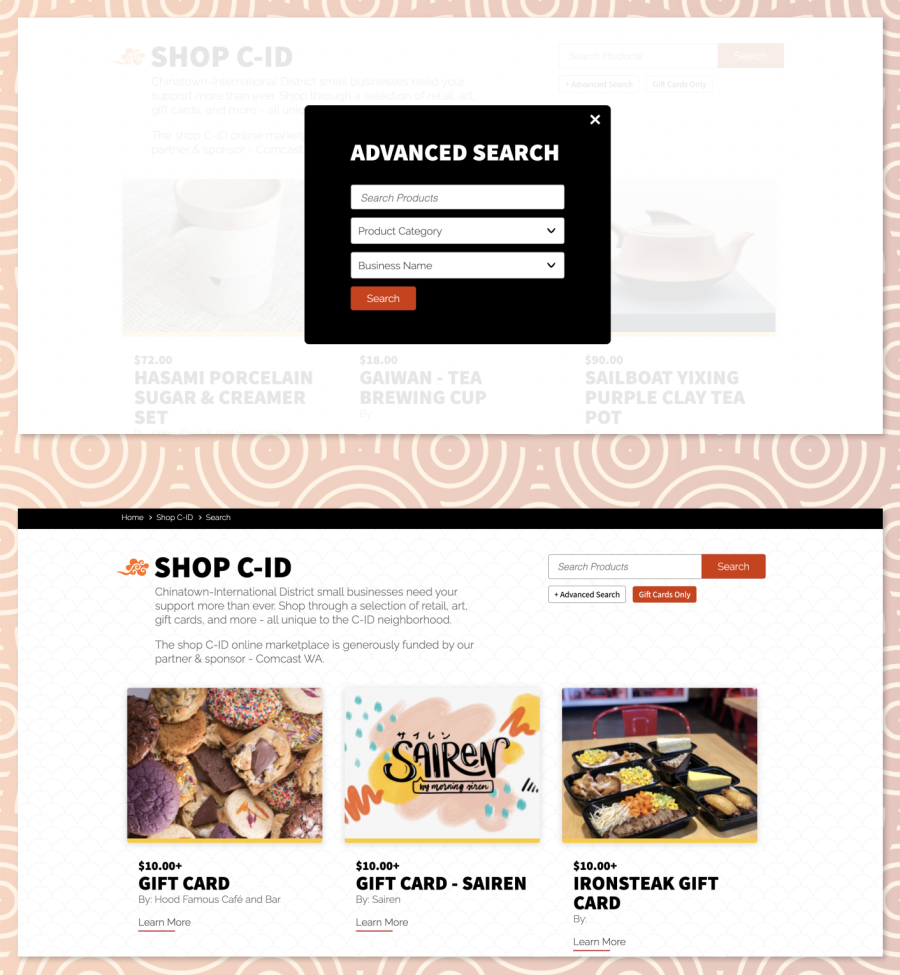
Another feature implemented was an advanced search functionality. This allows the user to search by keyword, category, and/or business vendor. An additional search parameter was also included, filter by Gift Cards. This was an important feature that supports their strategy for boosting support into C-ID businesses.
Shop C-ID / Landing
Shop C-ID / Detail
Shop C-ID / Search & Gift Cards
Planning Your Trip
Full visibility into what businesses exist in the C-ID was an important requirement for this website. Every business is categorized via database relationships and has an assortment of conditional data fields.
The landing page for "The Neighborhood" gives the user the ability to filter by two categories: Business Type and Location. *Note* There are three core areas within the C-ID: Chinatown, Japantown, and Little Saigon. The detail page filters results based on the search criteria. The client requested to keep this experience simple and easily discoverable. I designed the layout as a list of business names and collapsed all detailed content in order to minimize vertical scrolling. Once a business is clicked the details animate in below the title.
Any new local business has the ability to submit their content through a custom form. This creates the core content within the CMS and notifies the C-ID staff for editing and approval. This method has streamlined the process for adding new businesses by providing user submission and direct input into the system.
The Neighborhood (production)
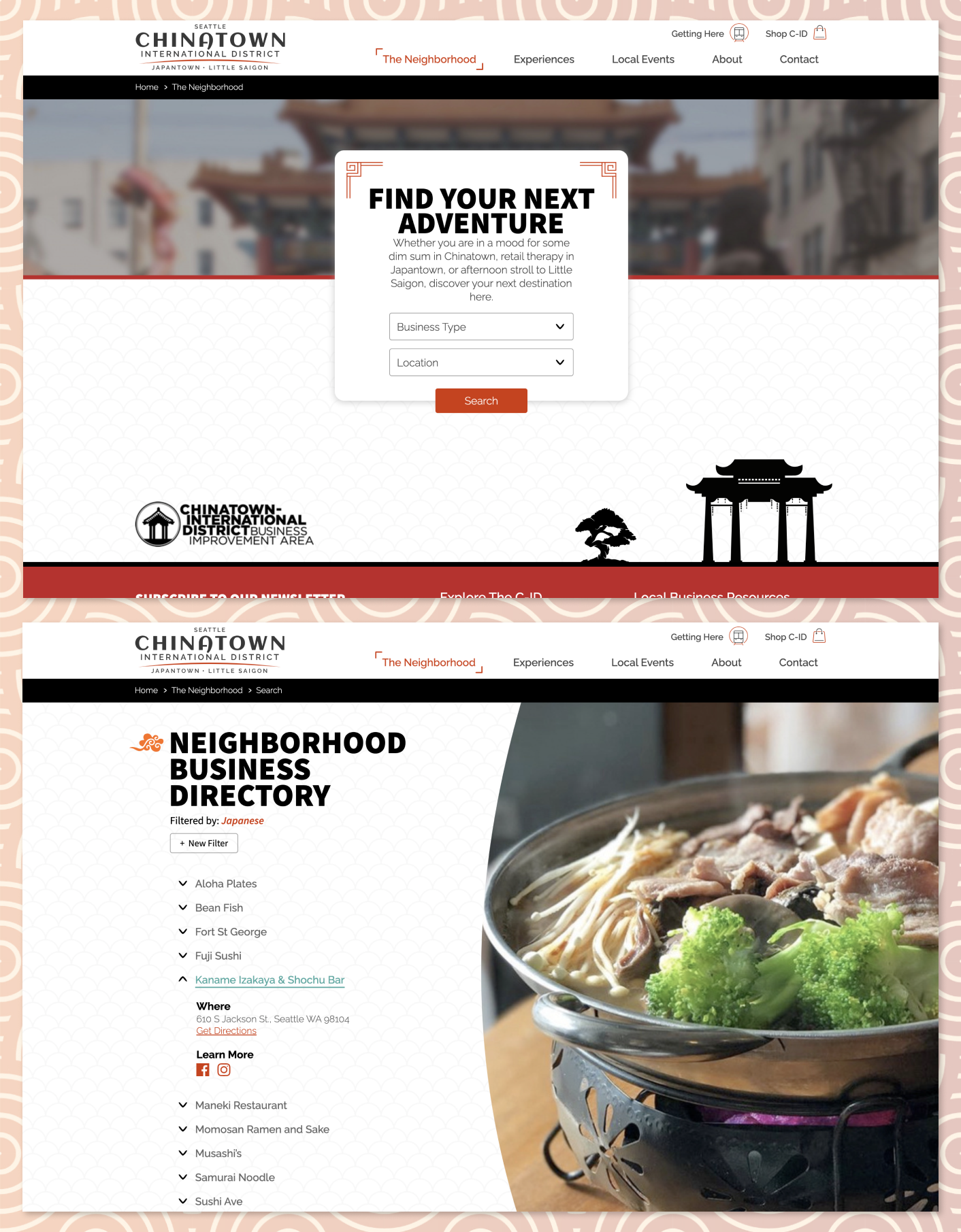
The neighborhood landing page (top) & filtered search results with content expanded (bottom)
Submit Your Local Business
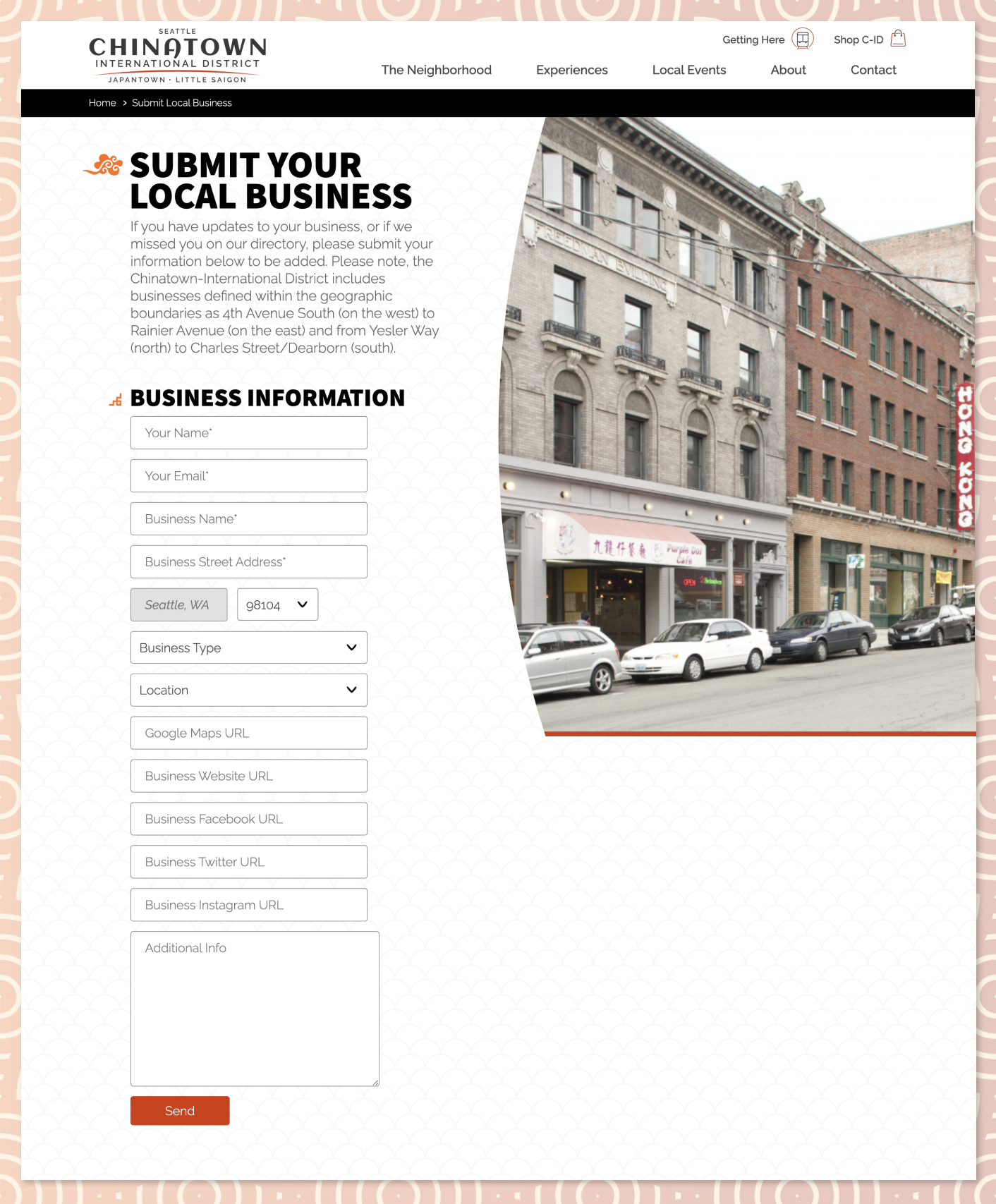
A custom form that automates the submission directly into a "pending" entry in the "The Neighborhood" business directory.
Getting To The C-ID
An interesting section on the website was the "Getting Here" page, intended to comfort and assist visitors traveling to the Seattle Chinatown-International District. The client requested a digital parking guide to help bring visibility to parking options. I recommended using Google My Maps and setup a custom template for my client to edit. This interactive map provides details to the most common parking areas in the neighborhood. Additional details are provided when each "P" icon is clicked.
Other helpful information for visitors include common transportation resources and neighborhood lodging options.
Fun fact - The horizontal menu does not change layout and works great on mobile. I added a slight animation on the position of the navigation items when the page loads to hint at horizontal scrolling.
Getting Here Page (production)